Manual Web Site Manual

Safe Job Procedures

The safe job procedure section in the IPhone application allows companies to give field staff access to the safe job procedures of their safety program. Every company safety program should consist of at least a safe job procedure or a safe work practice for each of the companies tasks'. These safe job procedures can be viewed and through the R & T Electric Pro IPhone Application.

One of the most important questions of any safety audits is always, do field staff have access to the safe job procedures on the job site? If your safety program is managed through R & T Electric Pro the answer is always Yes, because every field staff will have the safe job procedures in Smartphone application.

The second question asked as part of any safety audits is always, do field staff review safety job procedures before starting work on tasks on a job site. If your safety program is managed through R & T Electric Pro the answer again is Yea, because every field staff will have the safe job procedures in Smartphone application.

Safety Net Smartphone application allows field staff to view the safe job procedures right inside a hazard assessments by clicking on tasks in the field. For information about safe job procedures through the Smartphone click here.

Configuring how often Manual Reviews are to Occur

How often manual reviews must occur is a function of your companies policy. To configure Safety Net for how often manual reviews for safe job procedures should occur can be configured in the company safety settings.

Management, Office Staff and Safety Officers can edit how often manual reviews should occur in the Company section when they edit the Company Safety settings. For more information about configuring your company safety settings in this manual click here to view the company section.

Configuring how often Approval Reviews are to Occur

How often manual approvals must occur is a function of your companies policy. To configure Safety Net for how often manual approvals for safe job procedures should occur can be configured in the company safety settings.

Management, Office Staff and Safety Officers can edit how often manual approvals should occur in the Company section when they edit the Company Safety settings. For more information about configuring your company safety settings in this manual click here to view the company section.

Table of Contents

#Section Name#Section Name#Section Name
1View Safe Job Procedure 2View Safe Job Procedure by Task 3Update Safety Manual

1.View Safe Job Procedure

Safe Job Procedures can be viewed through the R & T Electric Pro iPhone Application.

Steps
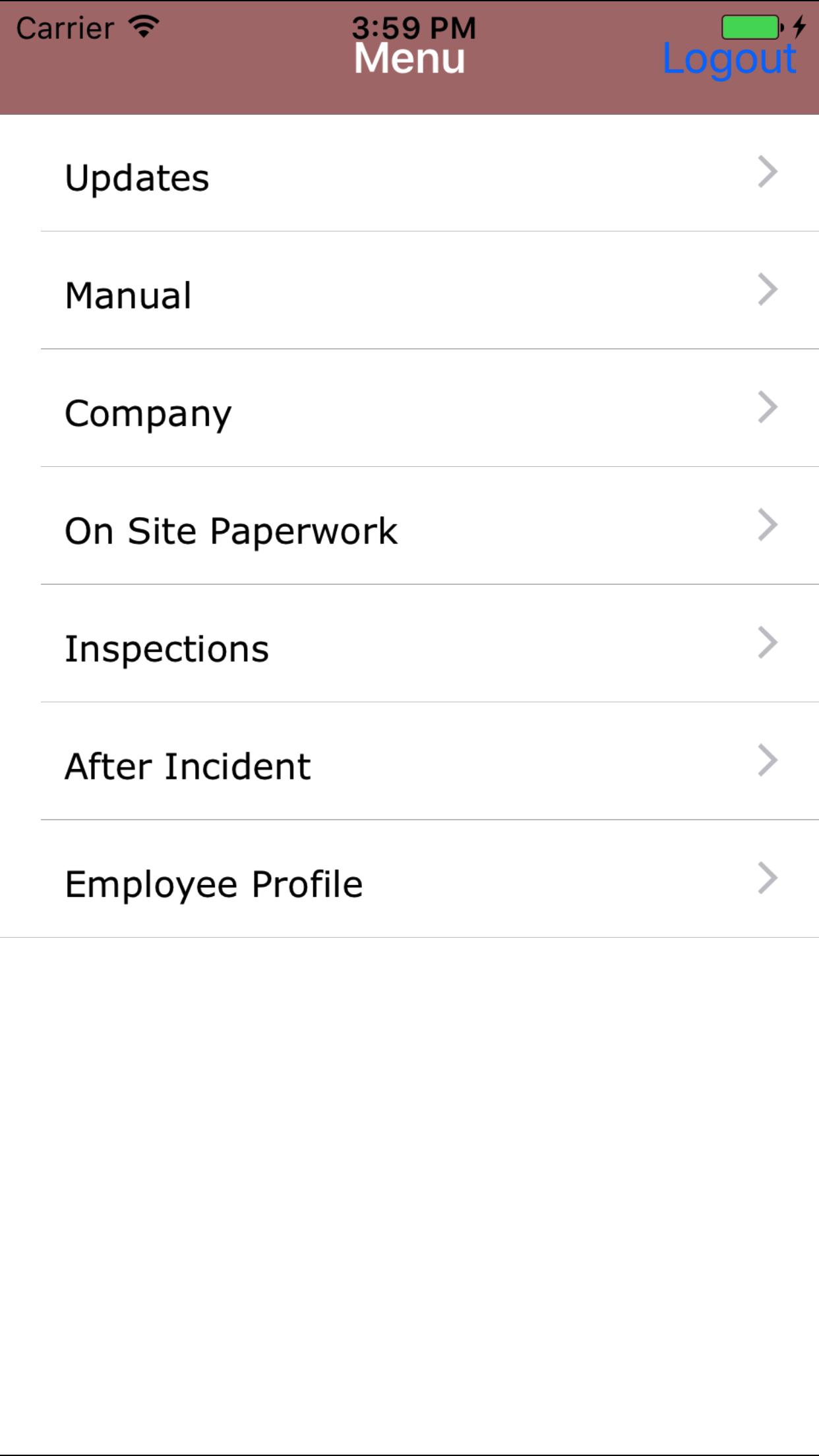
  1. From the Menu screen, tap the Manual button.
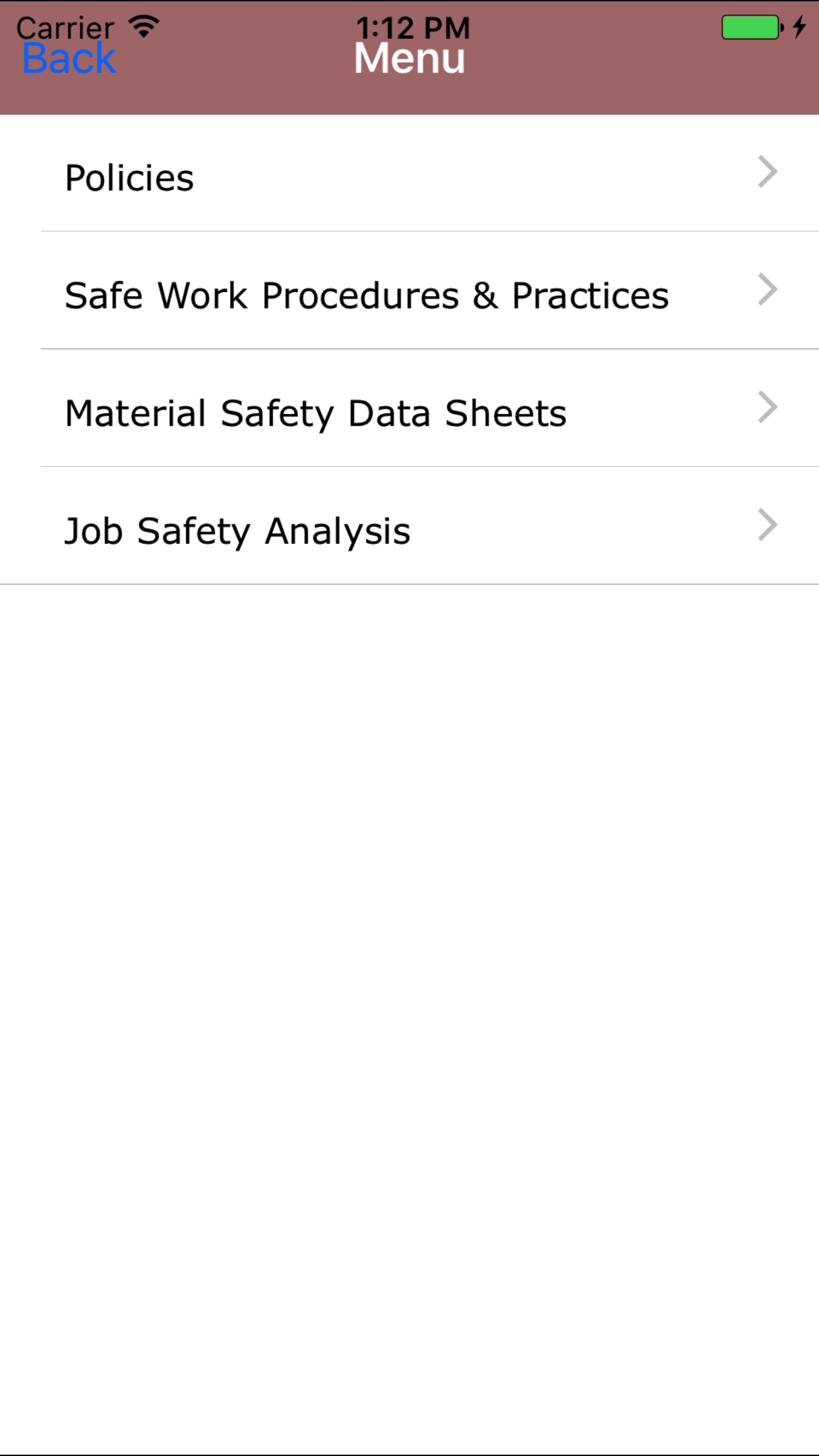
  2. Then tap on the Safe Work Practices and Safe Job Procedures button to open the Safe Job Procedure screen on the first tab.
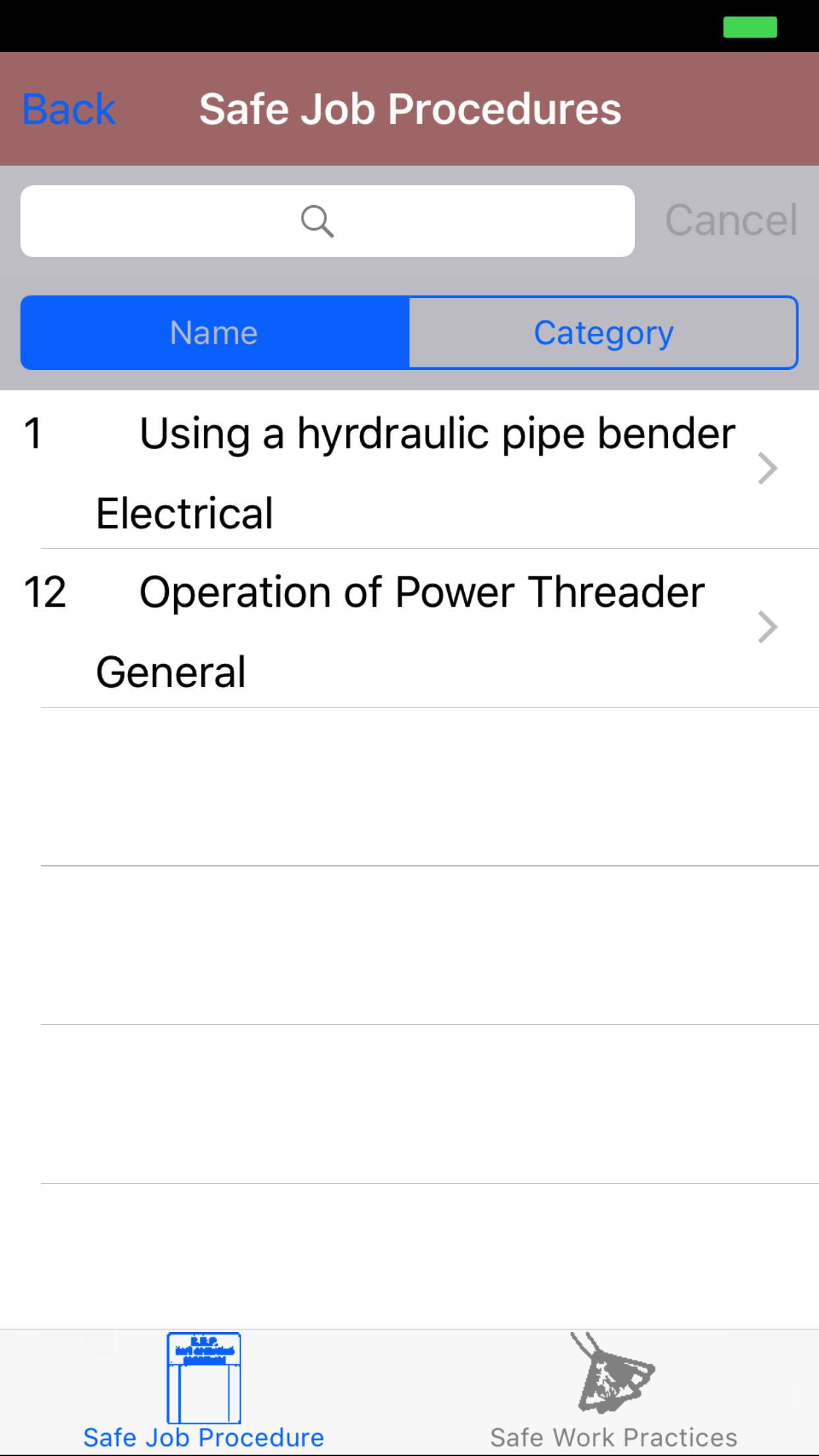
  3. This loads with a list of the safe job procedures listing the safe job procedure number, safe job procedure name and task category in black.
  4. To Search Safe Job Procedures: Pull down on the list view, the search is defaulted to search by practice name. The other option for the Safe Job Procedure search category type. Enter your search criteria and click the Search button.

  5. Scroll the list of safe work practices until the desired safe work practice is displayed on the screen.
  6. Scroll the list of safe job procedures until the desired safe job procedure is displayed on the screen.
  7. Tap on the Safe Job Procedure you would like to view. This loads with:
    1. Safe job procedure number
    2. Safe job procedure name
    3. Task category
    4. Assumptions
    5. PPE required
    6. Potential hazards
    7. Procedures

A Companies Safety Program is a living document, this means that over time it will change. As new safety standards are introduced new policies, safe work practices, safe job procedures will be created, while others will be adjusted. The IPhone App will need to be updated. To do so follow the steps in the Update Manual section

Step 1
Step 2
Steps 3-4
Step 5

2.View Safe Job Procedure by Task

Safe Job Procedures can be viewed through the R & T Electric Pro IPhone Application.

Steps
  1. From the Menu screen, tap the Manual button.
  2. Then tap on the Safe Work Practices and Safe Job Procedures button to open the Safe Job Procedure screen on the first tab.
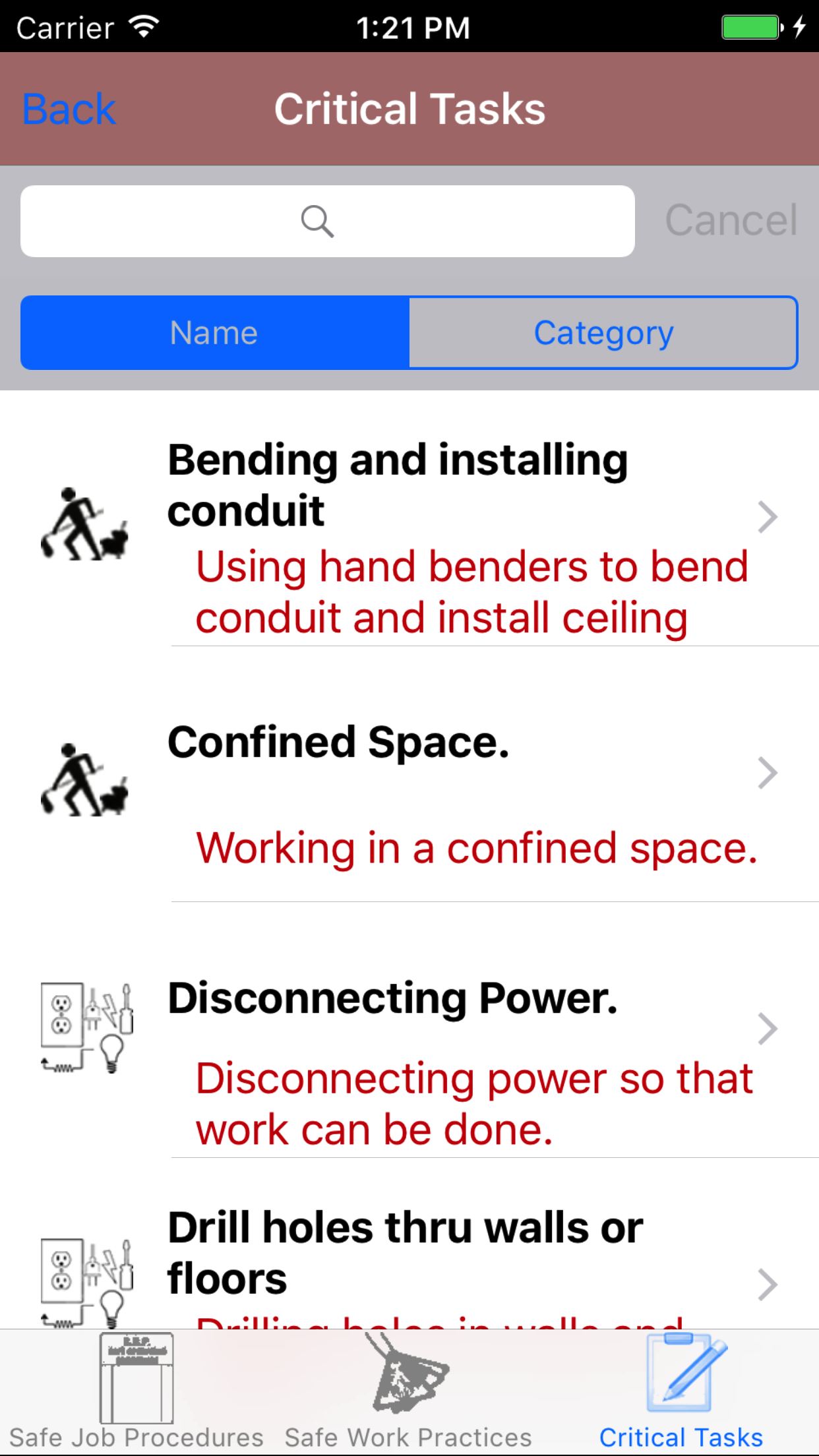
  3. This loads with the safe job procedures listing, to view safe job procedures by a specific task, tap on the third tab.
  4. This loads with a list of the company tasks listing the task name, and task description in black.
  5. Scroll the list of tasks until the desired task is displayed on the screen.
  6. Tap on the Task you would like to view. This loads the safe job procedures related to the selected task on the first tab.
  7. Scroll the list of safe job procedure until the desired safe job procedure is displayed on the screen.
  8. Tap on the Safe Job Procedure you would like to view. This loads with:
    1. Safe job procedure number
    2. Safe job procedure name
    3. Task category
    4. Assumptions
    5. PPE required
    6. Potential hazards
    7. Procedures

A Companies Safety Program is a living document, this means that over time it will change. As new safety standards are introduced new policies, safe work practices, safe job procedures will be created, while others will be adjusted. The IPhone App will need to be updated. To do so follow the steps in the Update Manual section

Step 1
Step 2
Step 3
Steps 4-6
Step 7
Step 8

3.Update Safety Manual

A Companies Safety Program is a living document, this means that over time it will change. As new safety standards are introduced new policies, safe work practices, safe job procedures will be created, while others will be adjusted. The IPhone App will need to be updated.

Steps
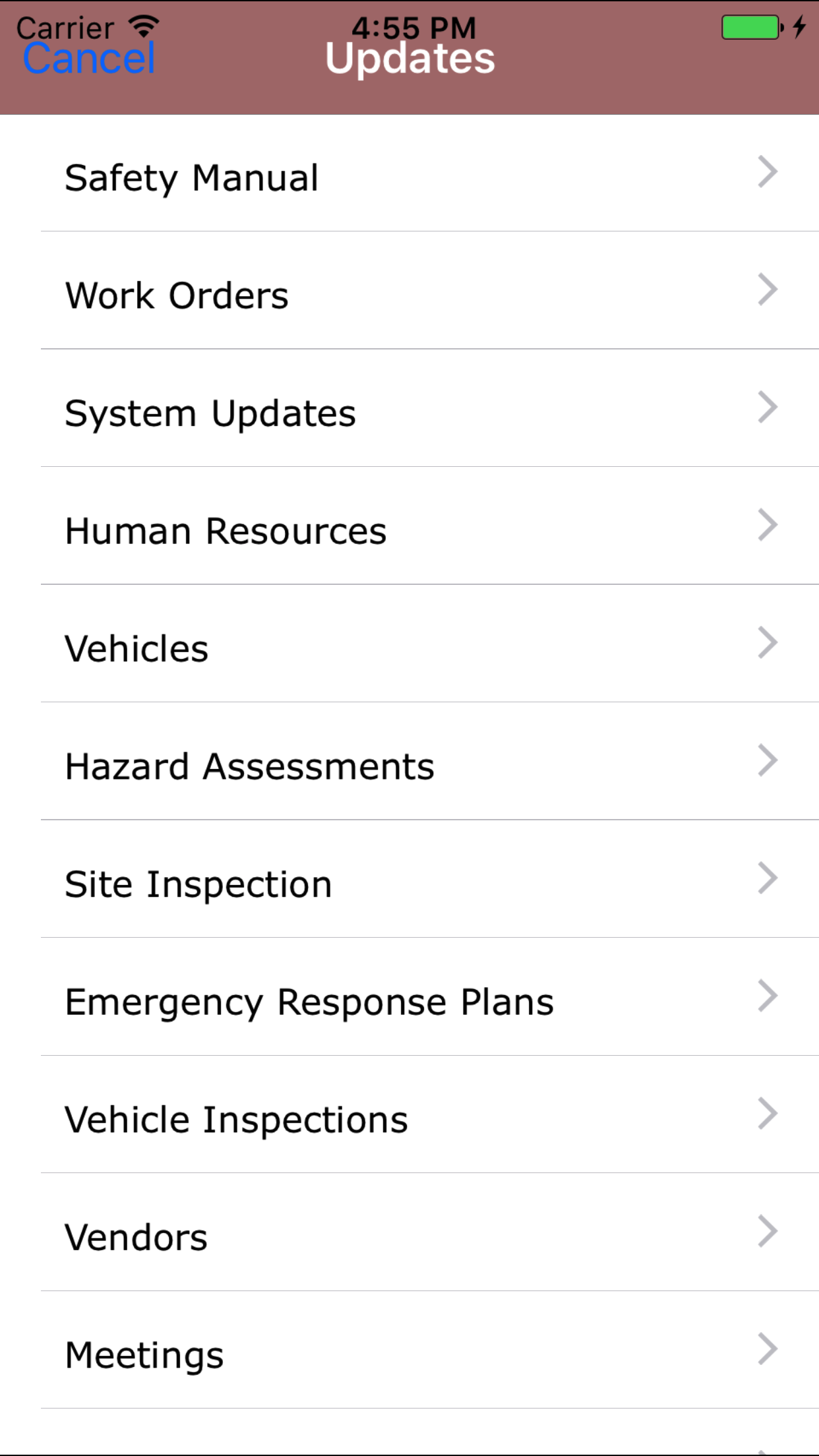
  1. From the Menu screen, tap the Updates button.
  2. Scroll the list of sections until you find the Safety Manual button.
  3. Tap on the Safety Manual button.

Any updates to existing policies, safe work practices or safe job procedures will be download along with any new ones.

Step 1
Step 2