Manual App Manual

First Aid Requirements Calculator

The first aid requirements calculator gives field staff a quick reference to requirements of first aid based on the type of work being preformed, the work location in relation to a medical or treatment facility and the number of workers working on the job site. Based on this the calculator will tell field staff the type of first aid kit required, other first aid requirements and the contents of the required first aid kit details.

Emergency Response Plan has the First Aid Requirements built into Report

As part of a Emergency Response Plan the same questions are asked as the first aid requirement calculator, meaning once the emergency response plan is created you will get the same information.

For more information about creating a Emergency Response Plan in this manual click here to view the emergency response plan section.

The first aid requirement calculator section is only available to users that have the first aid requirement calculator section turned on for their users group. To change users access to first aid requirement calculators, management and office staff can change access in Application Section to view the information about the Application Section Click Here

Table of Contents

#Section Name#Section Name
1Using First Aid Requirements Calculator 6Update System Updates

1.Using First Aid Requirements Calculator

First Aid Requirements can be calculated through the SafetyNet Android Application.

Steps
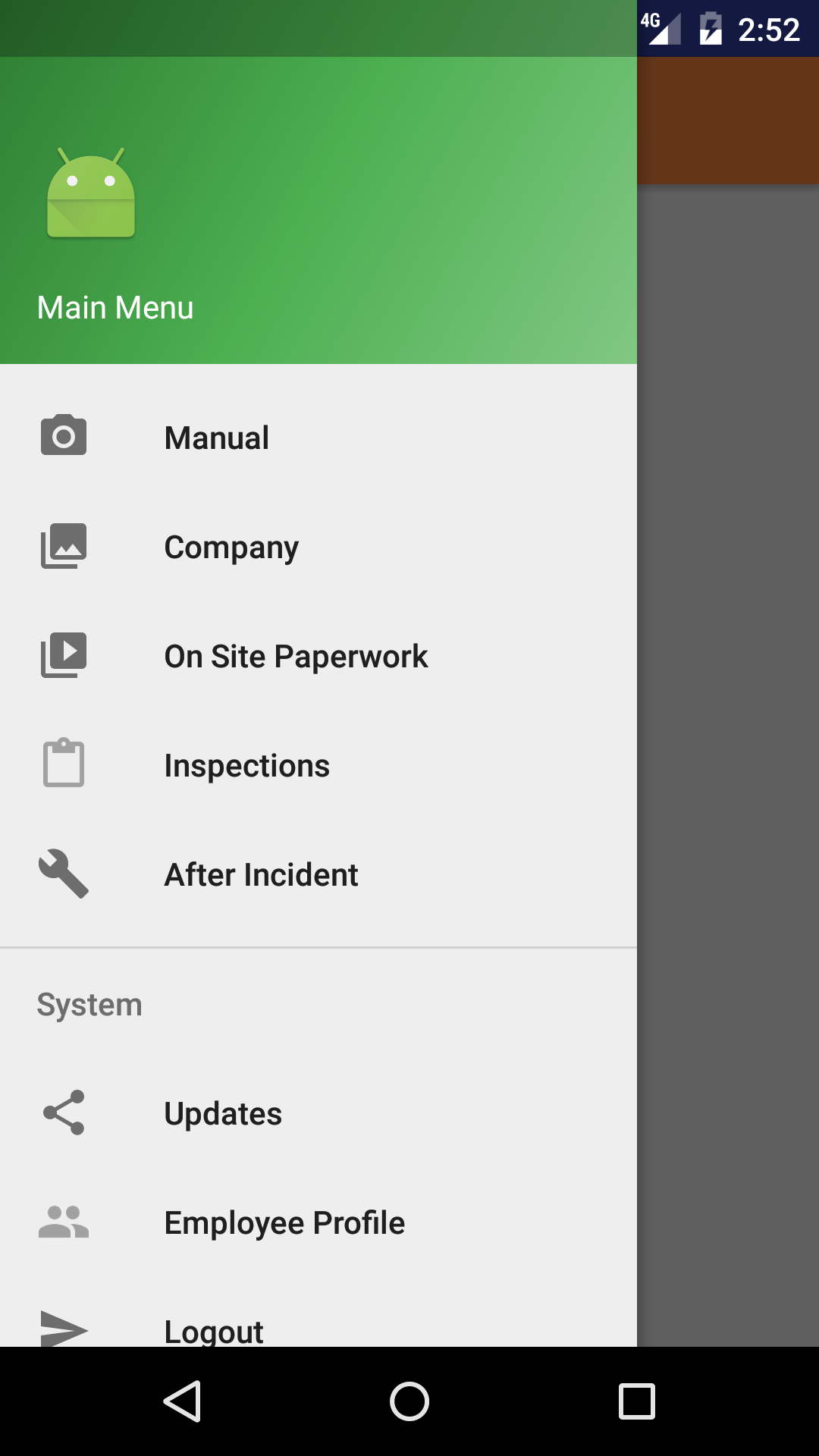
  1. From the Menu screen, tap the Manual button.
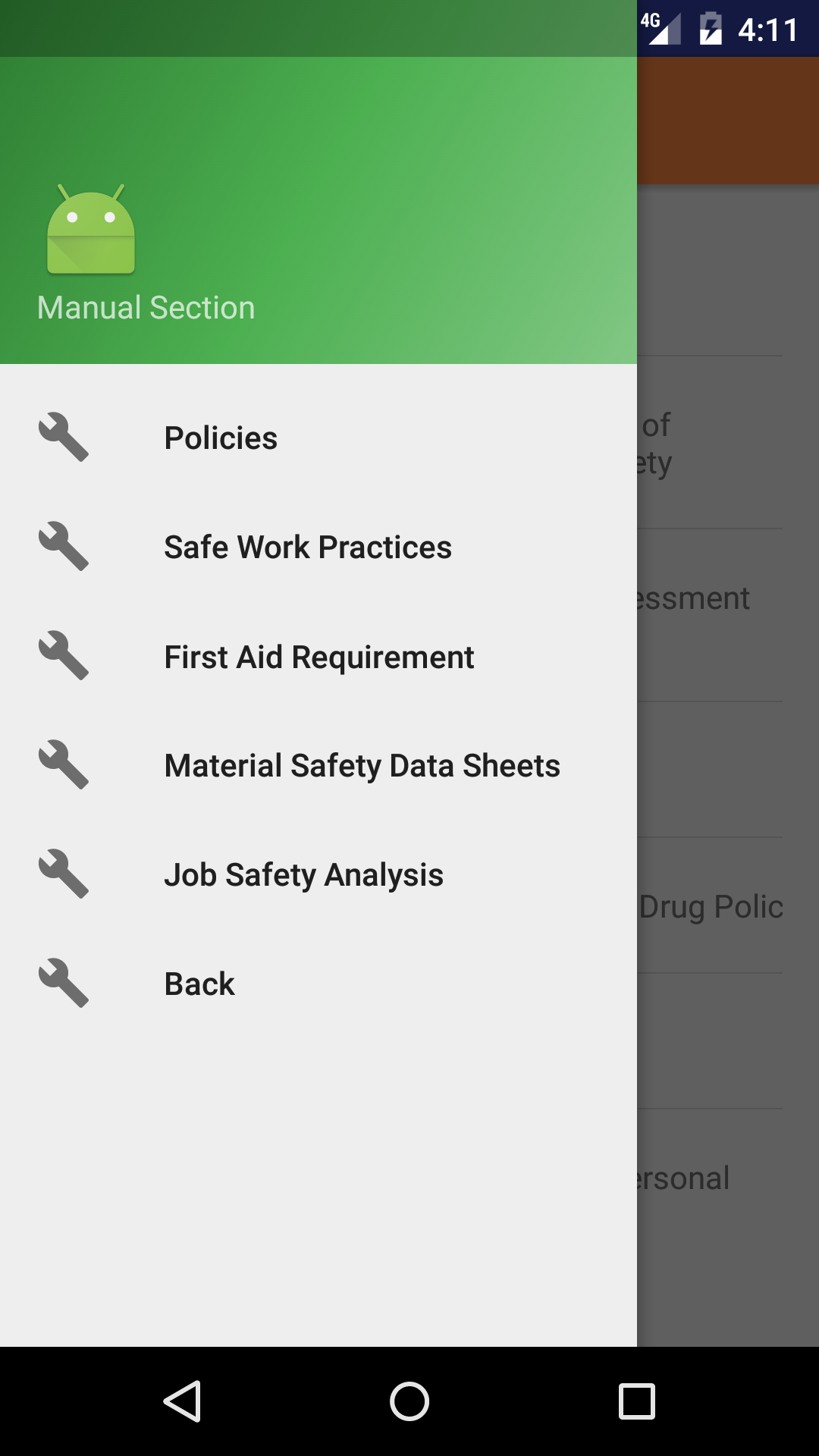
  2. Then tap on the First Aid Requirements Calculator button to open the First Aid Requirements Calculator screen.
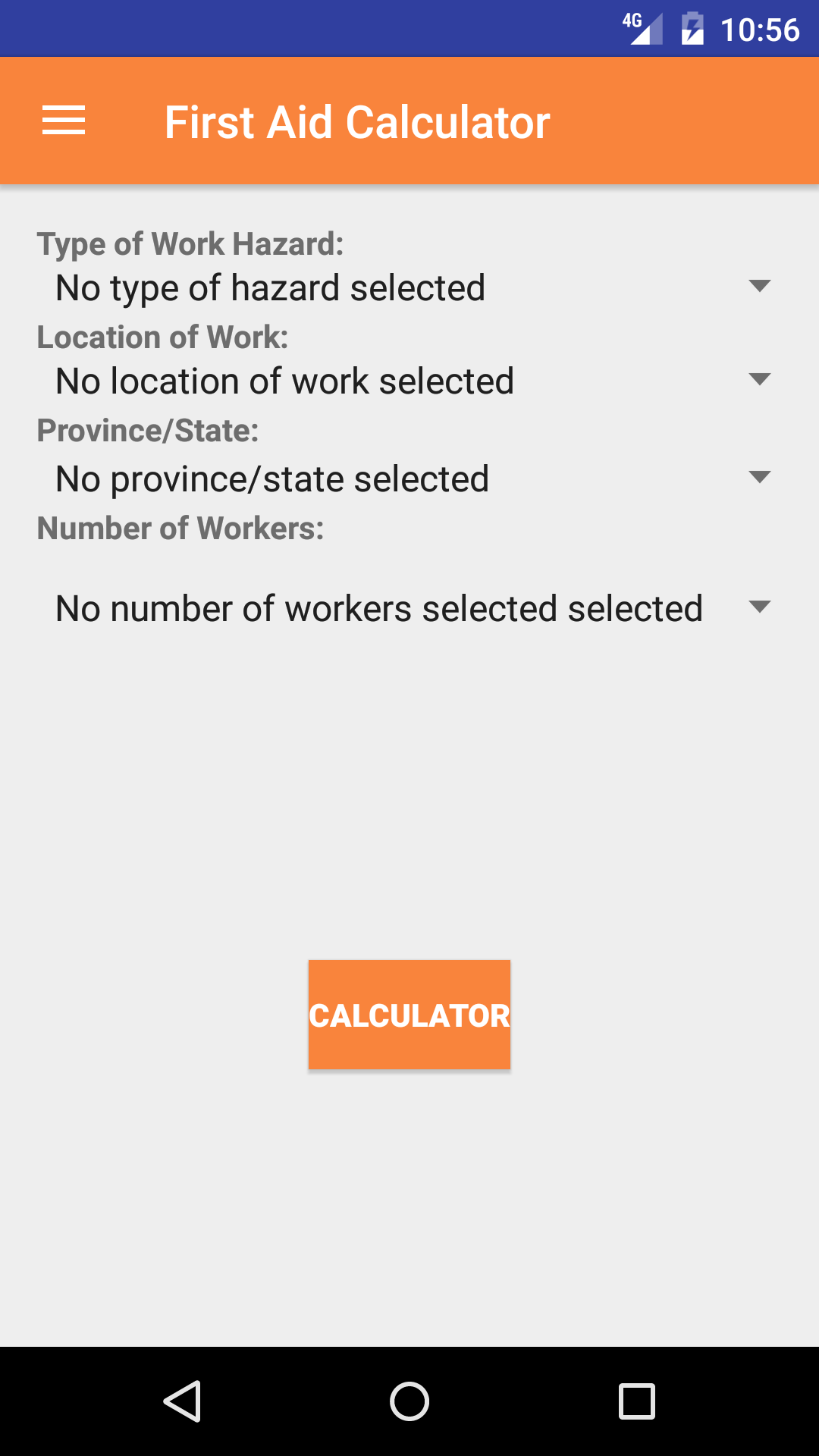
  3. Type of Work Hazard: The Type of Work Hazard field refers to the type of hazards involved with the type of work occurring on the job site.
    1. Scroll the list of type of work hazard until the desired type of work hazard is displayed on the screen.
    2. Tap the desired type of work hazard to select it.
  4. Location of Work: The Location of Work field refers to the proximity to a medical treatment facility in relation to the job site.
  5. The location of work are listed in red text.

    1. Scroll the list of location of work until the desired location of work is displayed on the screen.
    2. Tap the desired location of work to select it.
  6. Province State: The Province State field refers to province or state the job site is in.
  7. The Province and states are listed in red text.

    1. Scroll the list of province/state until the desired province/state is displayed on the screen.
    2. Tap the desired province/state to select it.
  8. Number of Workers: The Number of Workers field enter the number of workers that will be working on the job site.
    1. Scroll the list of numbers until the desired number of workers on site is displayed on the screen.
    2. Tap the desired number of workers on site to select it.
  9. Tap the Search icon in the top right corner to calculate the first aid requirements.
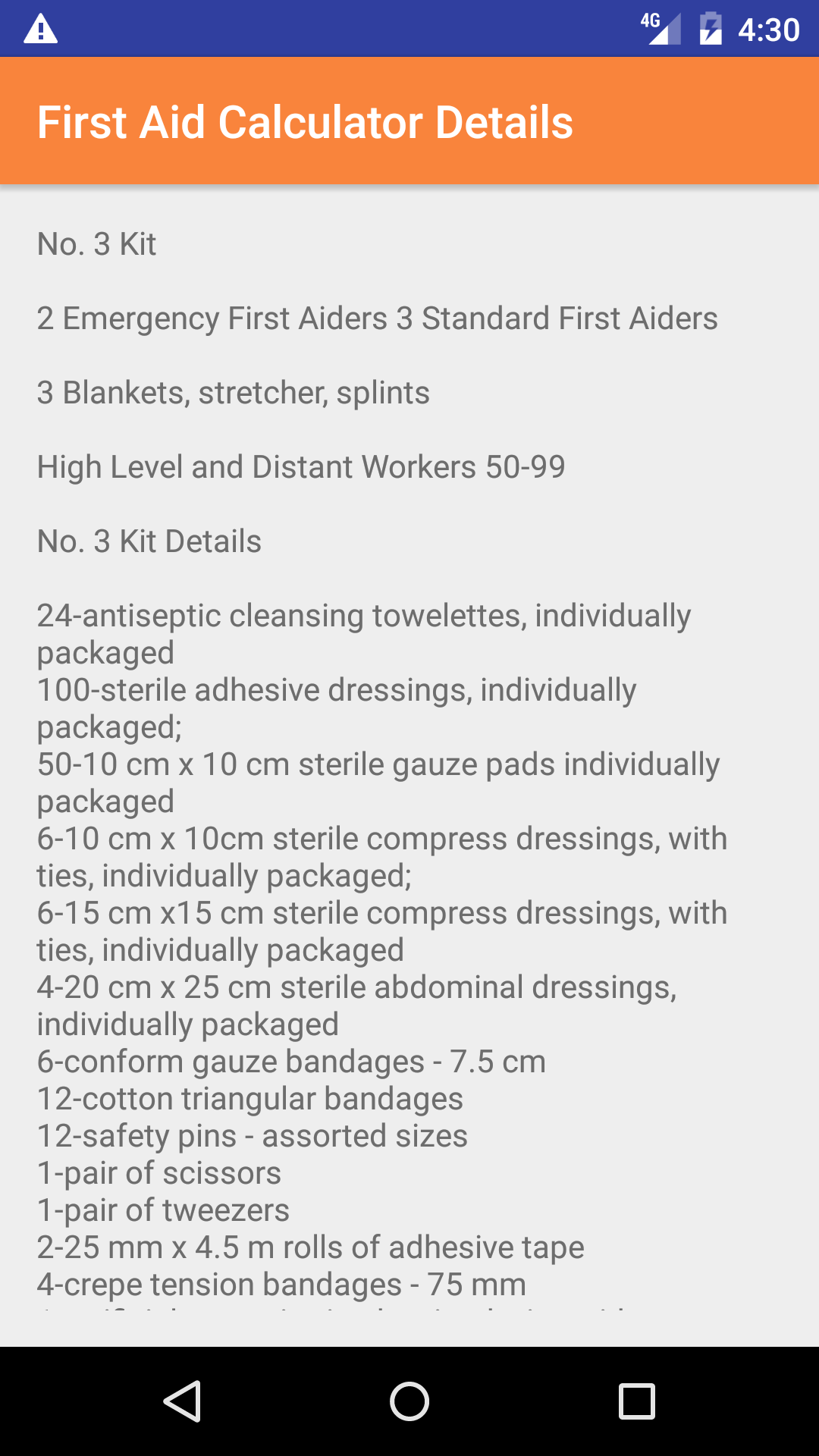
  10. The next screen loads with the first aid requirements given the criteria that has been previously entered. Including the first aid kit type required, and the first aid kit details..
Step 1
Step 2
Steps 3-7
Step 8

2.Update System Updates

As with everything in safety requirements are always changing. In particular first aid requirements may change. The Andriod App will need to be updated.

Steps
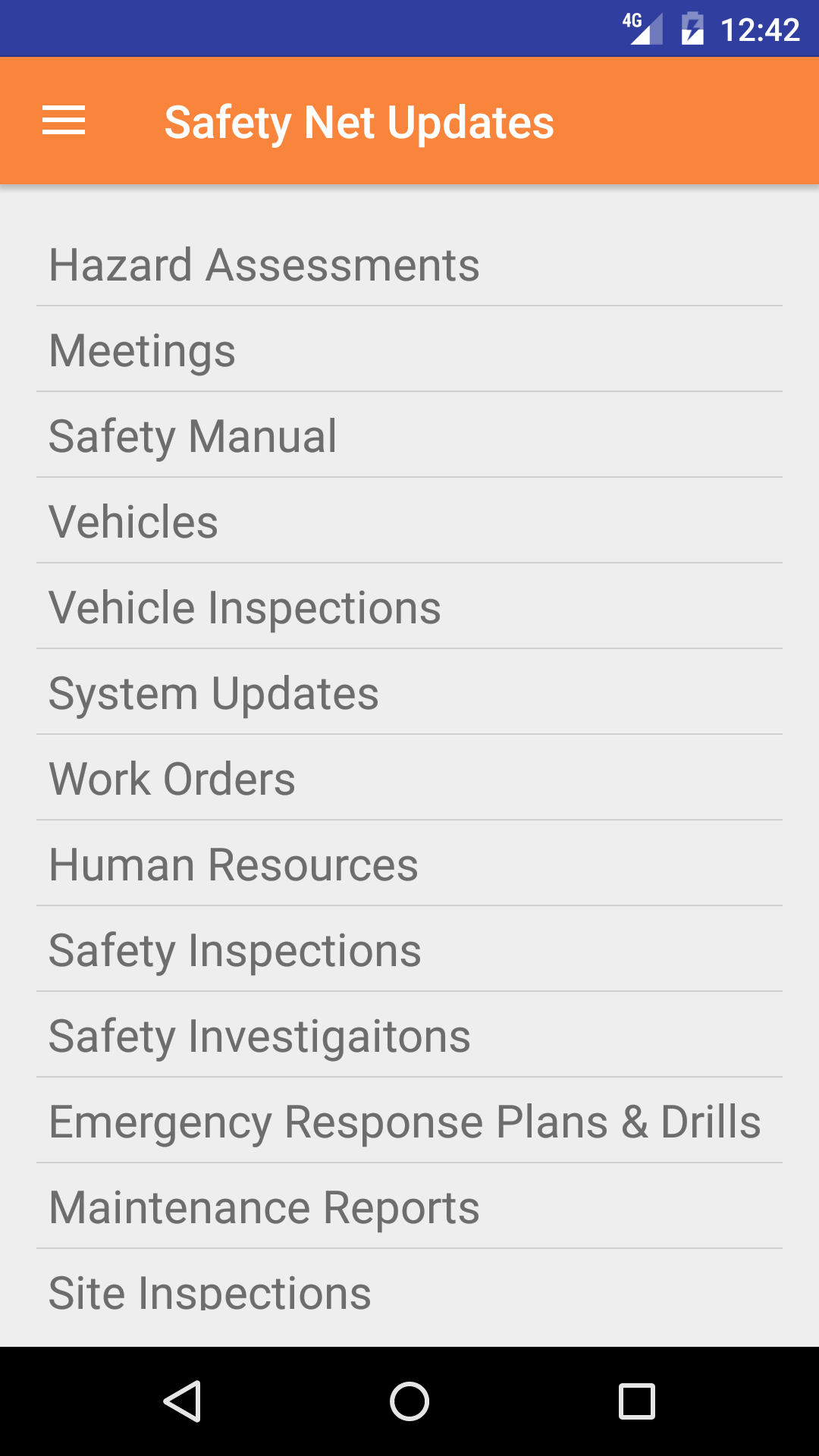
  1. From the Menu screen, tap the Updates button.
  2. Scroll the list of sections until you find the System Updates button.
  3. Tap on the System Updates button.
Step 1
Step 2