|
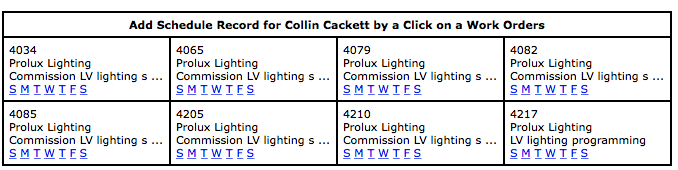
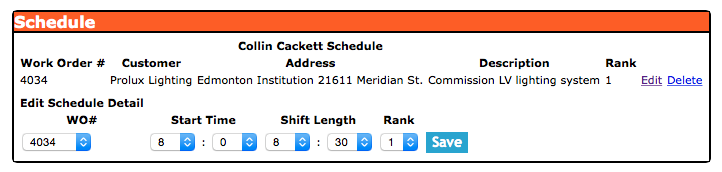
Schedule section allows management/safety officer's/office staff to schedule
field staff's work schedule by work order. Allowing for appointment booking down to 15 minute appointment windows.
Safety Net Smartphone application allows field staff to view and even download their schedule to your Smartphone calender.
For information about accessing your schedule through the Smartphone click here.
Approved Time off Requests Added to Schedule
Once a time off request is approved in SafetyNet by management, the approved days off are added to the employee"s schedule ensuring
everyone in the company is aware of everyones schedule. For more
information about time off requests in this manual click here to view the Time Off Request section.
The safety manual policy section is only available to users that have the safety manual policy section turned on for their users group.
To change users access to safety manual policies, management and office staff
can change access in Application Section to view the information about the Application Section Click Here
|

 App Manual
 App Manual