|
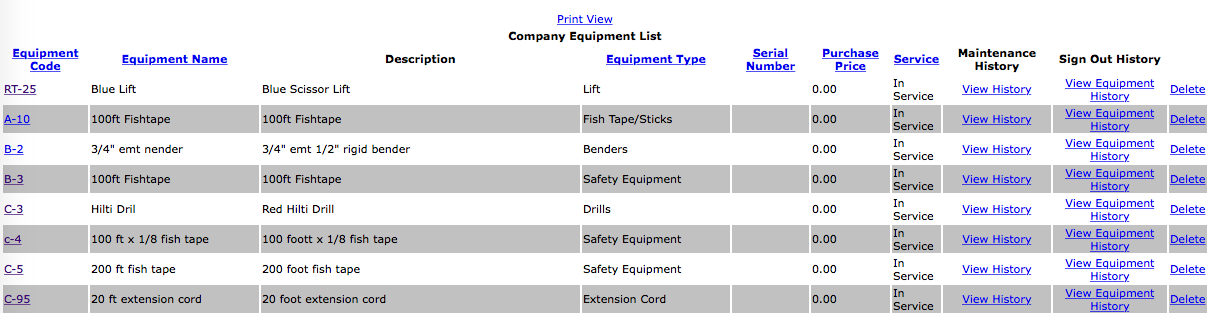
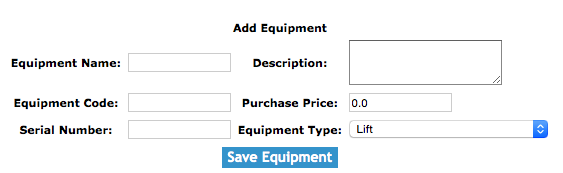
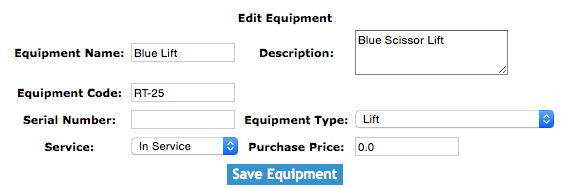
The equipment section allows clients to create and track the equipment of their company.
Equipment Signout
Company equipment can be signed out to work orders or company vehicles. Equipment signed out to vehicle can be signed out or assigned to that vehicle.
Clients can sign out equipment in the equipment sign out section. For more information about equipment sign out your
in this manual click here to view the equipment sign out section.
Configuring how long Equipment can be Signed Out for
Companies can configure how long equipment can be signed out for. To configure in Safety Net how long equipment can be signed out for can be
configured in the company safety settings.
Clients can edit how often equipment inspections should occur in the Company section when they edit the Company Safety settings. For more information about configuring your
company safety settings in this manual click here to view the company section.
Equipment Signout Report
Equipment Signout Reports are conducted to confirm the equipment signed out to either a work order or company vehicles are where they are suppose to be.
Clients can complete equipment sign out report in the equipment sign out report section. For more information about equipment sign out report
in this manual click here to view the equipment sign out report section.
Configuring how long Equipment Signed Out Reports are to Occur
How often equipment sign out reports must occur is a function of your companies policy regarding equipment sign out reports. To configure Safety Net for how often equipment sign out reports
should occur can be configured in the company safety settings.
Clients can edit how often equipment sign out reports should occur in the Company section when they edit the Company Safety settings. For more information about configuring your
company safety settings in this manual click here to view the company section.
|