|
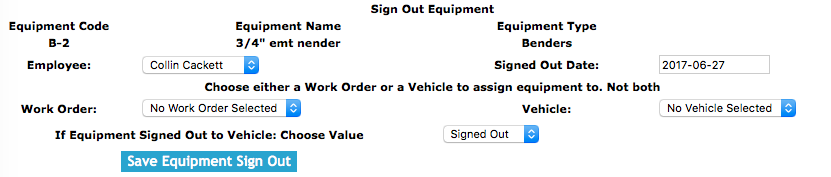
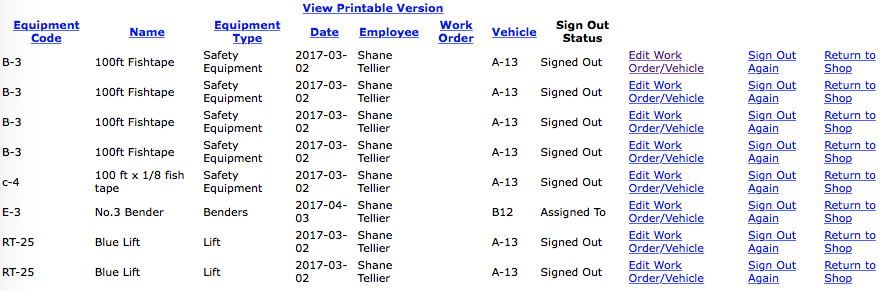
The equipment sign out section allows clients to sign out and track the equipment being assign to vehicles and work orders of their company.
Safety Net Smartphone application allows field staff to sign out equipment in the field.
For information about completing a equipment sign outs through the Smartphone click here.
Configuring how long Equipment can be Signed Out for
Companies can configure how long equipment can be signed out for. To configure in Safety Net how long equipment can be signed out for can be
configured in the company safety settings.
Clients can edit how often equipment inspections should occur in the Company section when they edit the Company Safety settings. For more information about configuring your
company safety settings in this manual click here to view the company section.
Configuring Equipment Sign Out Submission Email Alert
The company representative that receives a email from SafetyNet, when a equipment sign out submission occurs is a function
of who is set up to receive the Equipment Sign Out Submission. The person whom should receive this email, should
probably be someone in management. To configure Safety Net for whom receives
receives this email alert in the Company Email Alert section.
Management, Office Staff and Safety Officers can edit who should receive the Equipment Sign Out Submission email alert in the company email alert section. For more information about configuring your
company email alerts in this web site manual click here to view the company email alert section.
Equipment Signout Report
Equipment Signout Reports are conducted to confirm the equipment signed out to either a work order or company vehicles are where they are suppose to be.
Clients complete equipment sign out report in the equipment sign out report section. For more information about equipment sign out report
in this manual click here to view the equipment sign out report section.
Configuring how long Equipment Signed Out Reports are to Occur
How often equipment sign out reports must occur is a function of your companies policy regarding equipment sign out reports. To configure Safety Net for how often equipment sign out reports
should occur can be configured in the company safety settings.
Clients can edit how often equipment sign out reports should occur in the Company section when they edit the Company Safety settings. For more information about configuring your
company safety settings in this manual click here to view the company section.
The equipment sign out section is only available to users that have the equipment sign out section turned on for their users group.
To change users access to equipment sign outs, management and office staff
can change access in Application Section to view the information about the Application Section Click Here
|

 App Manual
 App Manual