|
Vehicles are used throughout SafetyNet as part of all different kinds of reports. From tracking your field staff travel in them, to maintenance performed
on them, to inspections and investigations involving them and to equipment stored in them. Ensuring all vehicles in your companies fleet is one of the most
important issues in every company.
To add a new vehicle click the “Add Vehicle” link. A new window will appear.
Fields
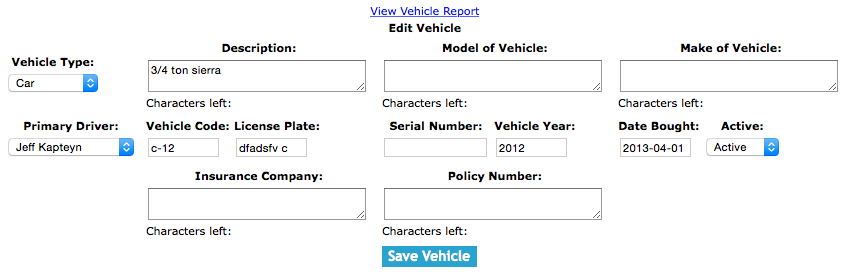
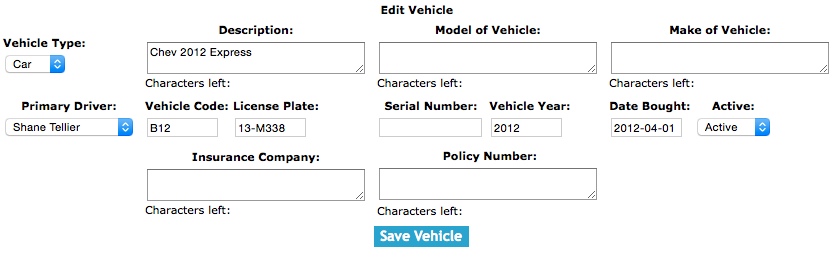
Vehicle Type:Allows a user to select the type of vehicle. Choose the type of vehicle that best matches the vehicle. SafetyNet allows you to choose from Car, Van, Semi Truck and Truck.
Description:Allows a user to input a description of the vehicle. The description of the vehicle should be useful description to the staff of your company because along with the license
plate and vehicle code are going to be used to select the right vehicle when creating reports. The character limit of this field is 75.
Model of Vehicle:Allows a user to input a vehicle model. The model of the vehicle field can be used to enter the model of the vehicle. The character limit of this field is 25.
Make of Vehicle:Allows a user to input a vehicle make. The make of the vehicle field can be used to enter the make of the vehicle. The character limit of this field is 50.
Primary Driver:Allows a user to select the primary driver. This should be employee whom drives the vehicle on a regular basis. This employee will be email when vehicle inspections are
required. They will also receive emails when vehicle maintenance reports are filed for this vehicle.
Vehicle Code:Allows a user to input the company vehicle code. The vehicle code of the vehicle should be useful identifier to the staff of your company because along with the license plate
and description are going to be used to select the right vehicle when creating reports. The character limit of this field is 15.
License Plate:Allows a user to input the vehicle license plate. The license plate is a very important identifier along with the license plate and description are going to be used to
select the right vehicle when creating reports. The character limit of this field is 10.
Serial Number:Allows a user to input the serial number. SafetyNet has given companies to keep track of the serial numbers of vehicles with the rest of the vehicle information. The character limit of this field is 50.
Vehicle Year:Allow a user to input the year of the vehicle. The field is meant to hold year of which the vehicle was produced. The vehicle year should be a 4 digit value.
Date Bought:Allows a user to input the date of purchase. The field is meat to hold the date the vehicle was purchased The format of this field is YYYY-MM-DD.
Insurance Company:Allows a user to input the name of insurance company. The name of Insurance company whom the insurance for the vehicle is with. The character limit of this field is 50.
Policy Number:Allows a user to input the insurance policy number. The policy number of the insurance. The character limit of this field is 50.
Once the information has been entered, click the 'Save Vehicle' button.
|