|
The first aid kit inspection section allows a field staff to create and record a first aid kit inspection. First Aid Kit inspections can be created from scratch or from a company first aid kit inspection.
Job Sites and Vehicles can be setup to require employees to complete first aid kit inspections.
Since company vehicles and job sites are all different and may require different levels of first aid. Safetynet allows a field staff to setup a specific first aid kit inspection for each job site and vehicle. Each First Aid Kit Inspection for a job site is set up with a
number of sections; basic information, then first aid kits and the contents of each first aid kit.
Maintenance Report Creation
Maintenance Reports are created for tasks that require attention, once a first aid kit inspection
is submitted to R & T Electric Pro. The following reports also create maintenance reports when submitted:
- Vehicle Inspections
- Personal Protective Equipment Inspections
- Equipment Inspections
- First Aid Kit Inspections
- Fire Extinguisher Inspections
For more information about Maintenance Reports in this manual click here to view the maintenance section.
Configuring how often First Aid Kit Inspections are to Occur
How often first aid kit inspections must occur is a function of your companies policy regarding first aid kit inspections. To configure R & T Electric Pro for how often first aid kit inspections for job sites or vehicles
should occur can be configured in the company safety settings.
Management, Office Staff and Safety Officers can edit how often first aid kit inspections should occur in the Company section when they edit the Company Safety settings. For more information about configuring your
company safety settings in this manual click here to view the company section.
Configuring Job Site First Aid Kit Inspection requirement
Job Sites come in all shapes and sizes especially in the service business, it just might not be practical for field staff to complete first aid kit inspection for every job site they visit. R & T Electric Pro allows clients to
customize their system to their business situation. To this end R & T Electric Pro allows management, safety officers and office staff to configure Job Sites to require or not to require first aid kit inspections. For more
information about changing the Job Site, first aid kit inspection requirement in this manual click here to view the Job Site section.
Configuring Vehicle First Aid Kit Inspection requirement
Depending on how large your company is, it just might not be practical for field staff to complete first aid kit inspection for every vehicle. R & T Electric Pro allows clients to
customize their system to their business situation. To this end R & T Electric Pro allows management, safety officers and office staff to configure Vehicles to require or not to require first aid kit inspections. For more
information about changing the Vehicle, first aid kit inspection requirement in this manual click here to view the Vehicle section.
Creating Company First Aid Kit Inspection from First Aid Kit Inspections
Once a First Aid Kit Inspection for a job site has been reviewed by management; management has the option of taking all the information from the first aid kit inspection and creating or editing the Company First
Aid Kit Inspection for that job site or vehicle, with the simple click of a button. For more information about transferring first aid kit inspection to company first aid kit inspection in this manual click here
to view the First Aid Kit Inspection section. |
|
|
1.Add First Aid Kit Inspection For Job Site From Company First Aid Kit Inspection |
Steps
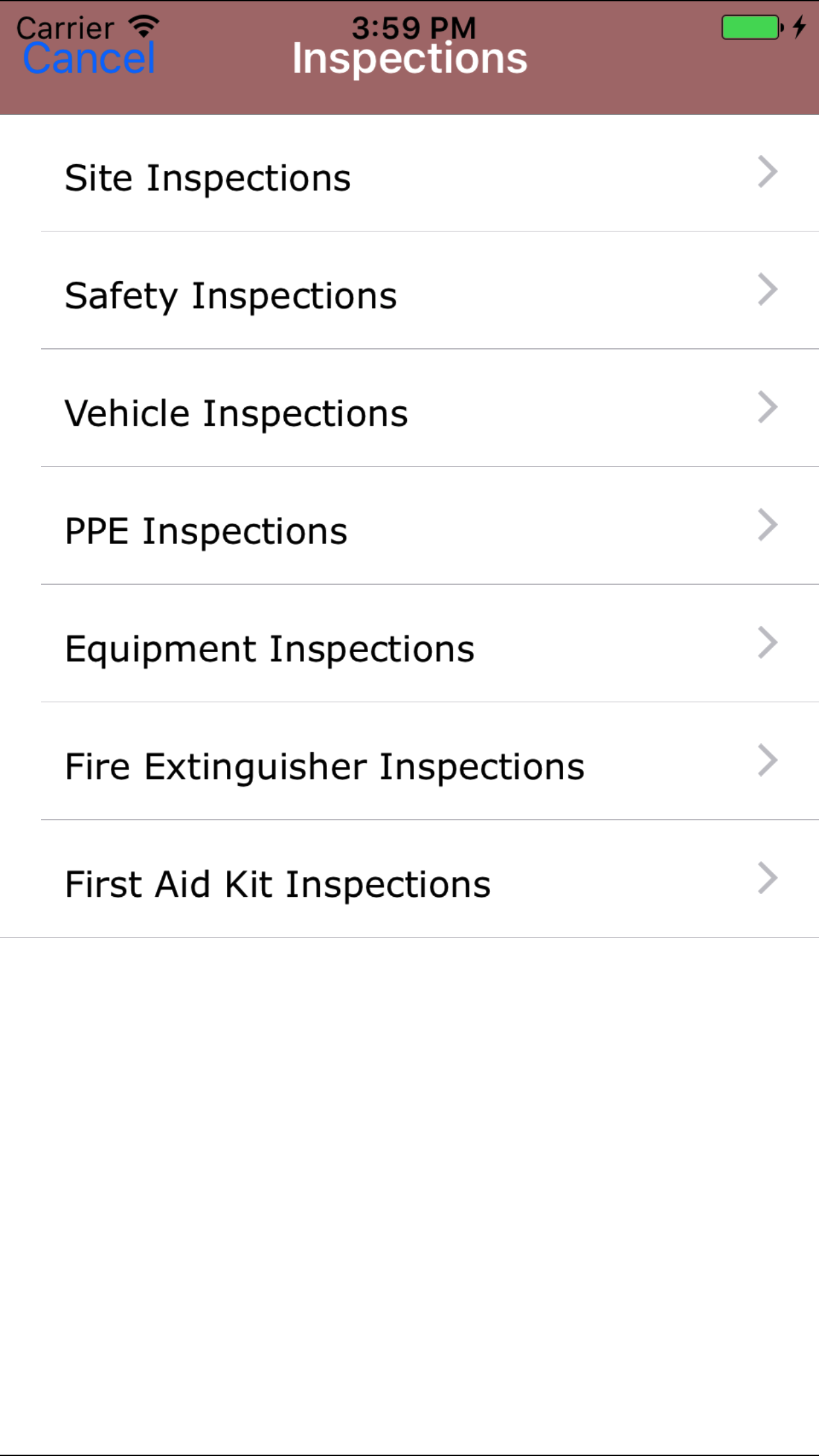
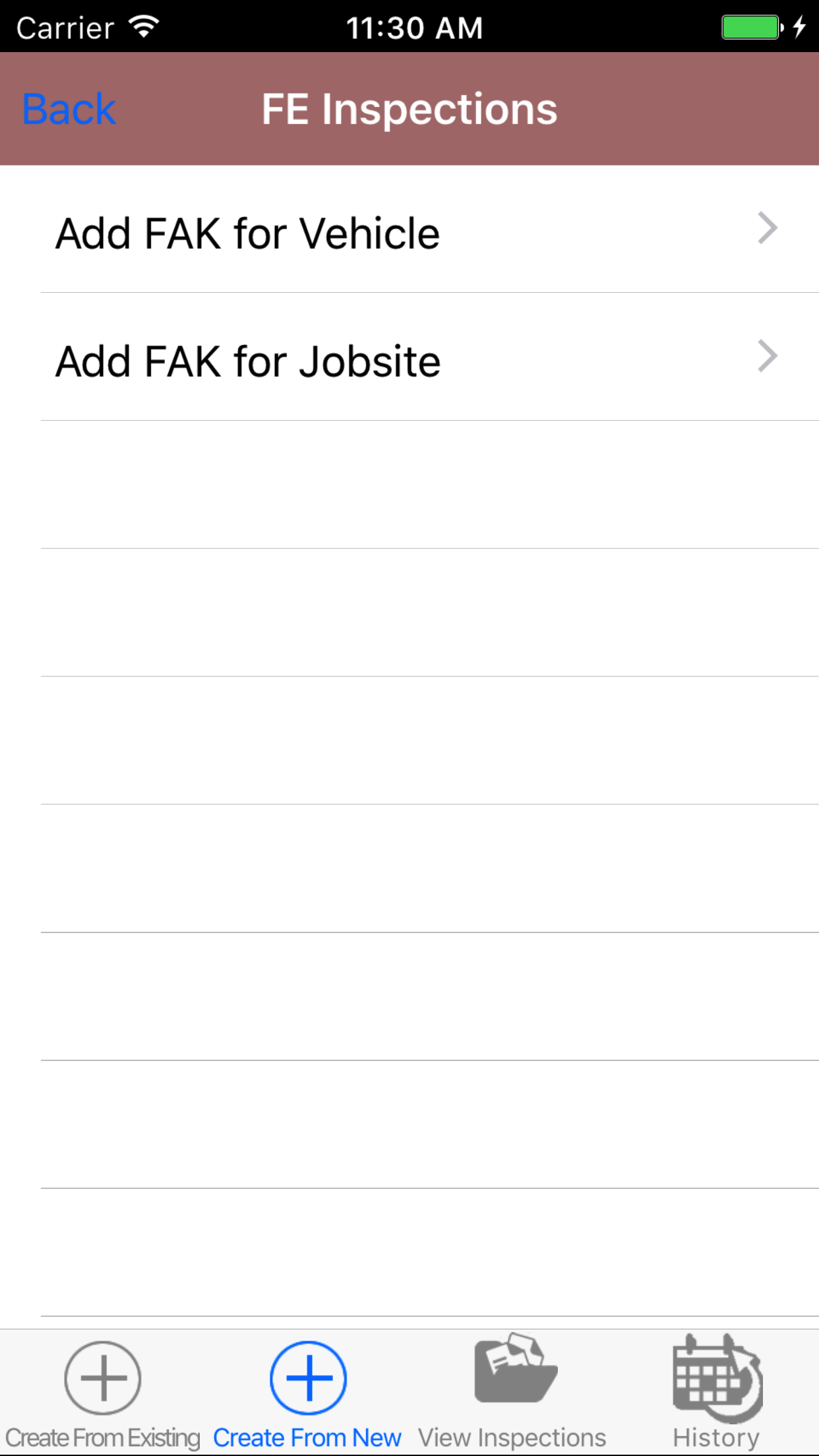
- From the Main Menu screen, tap the On Inspection button.
- Then tap on the First Aid Kit Inspection button, this opens the first aid kit inspection information page.
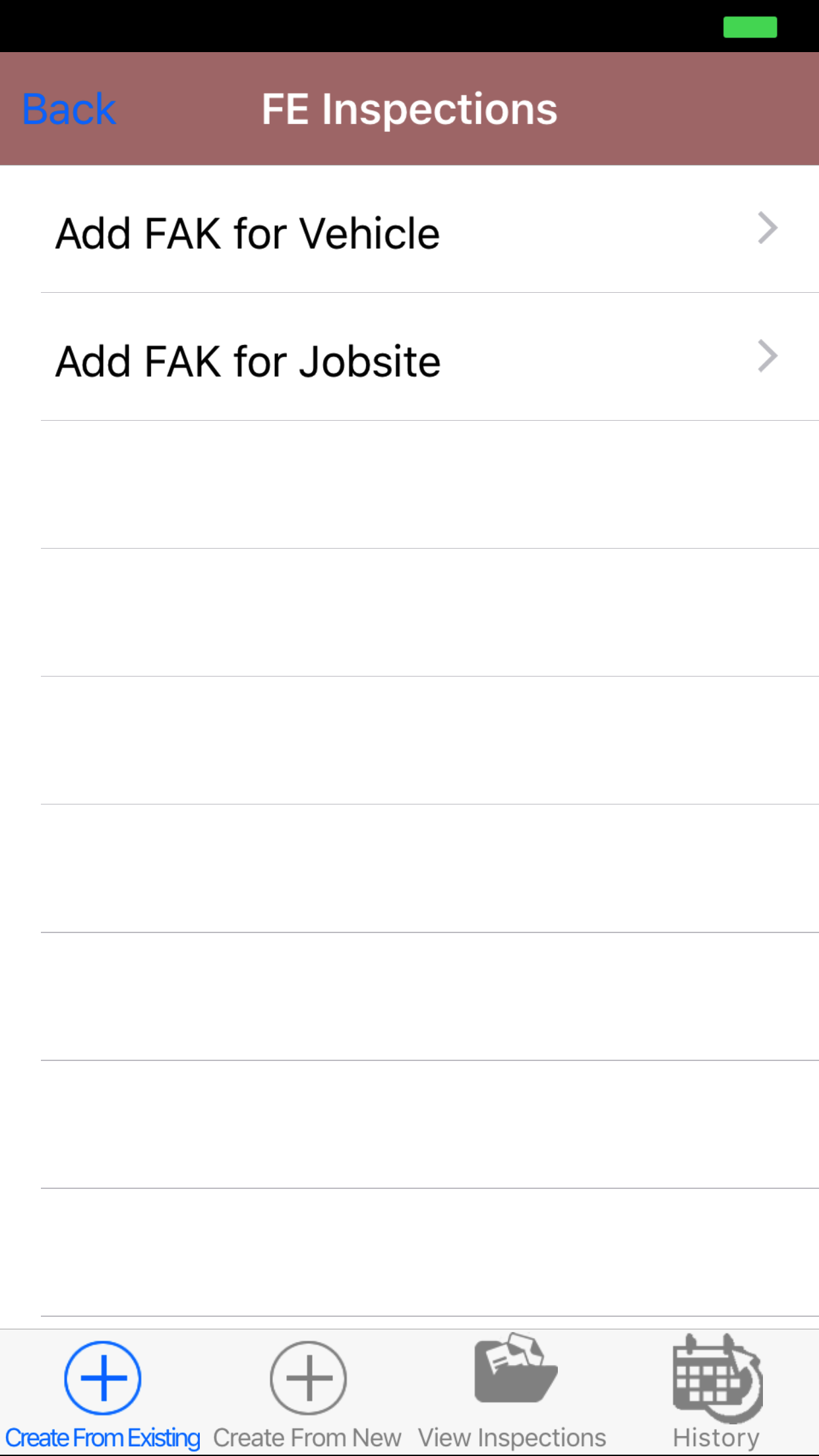
- Then tap on Next button in the top right corner, this opens the Add First Aid Kit Inspection from existing tab.
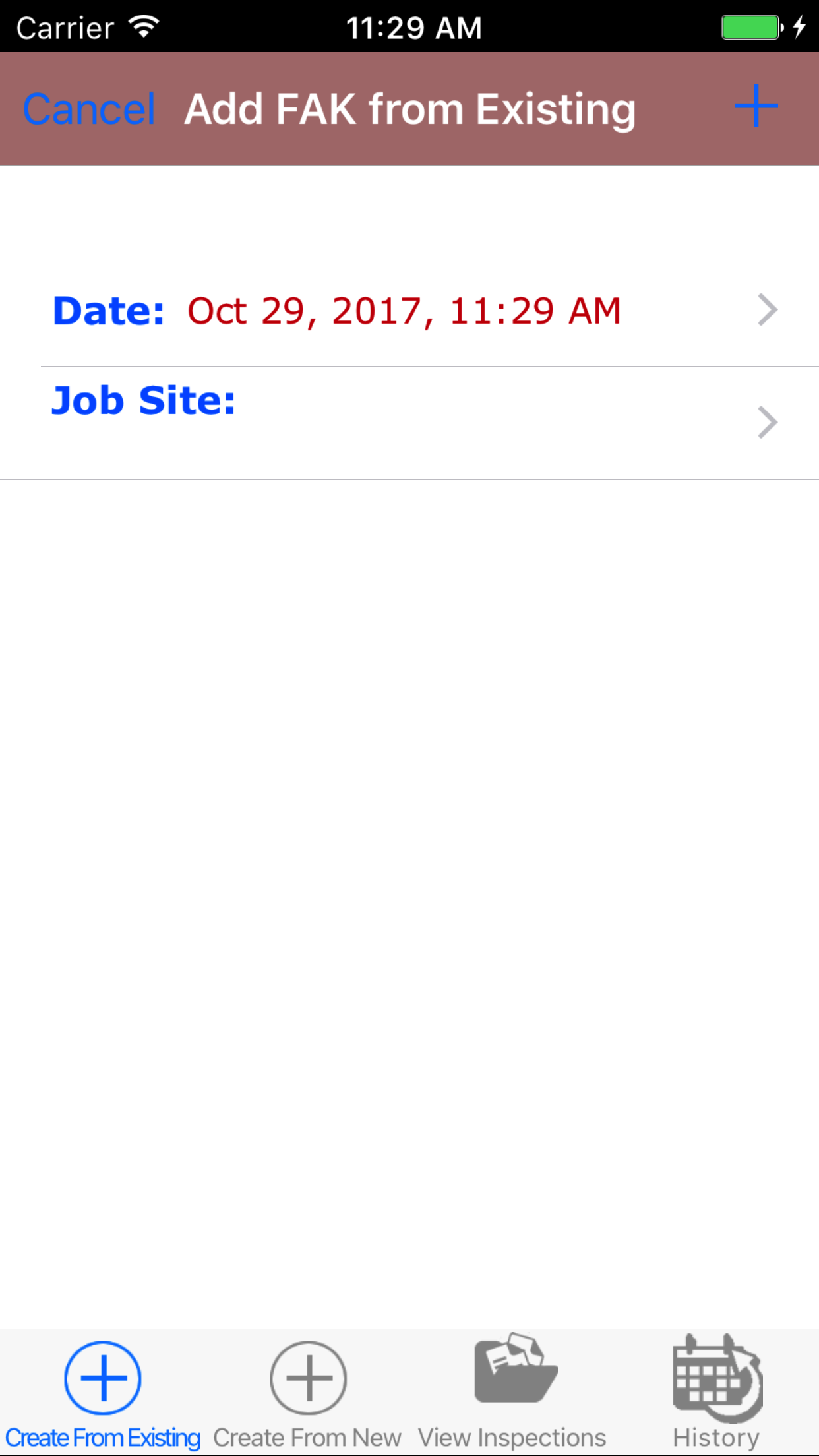
- Then tap on the Add FAK for Job Site button.
- This opens the Add First Aid Kit Inspection For Job Site From Company First Aid Kit Inspection entry screen.
- Date: The date field allow field staff to choose the date the first aid kit inspection occurs.
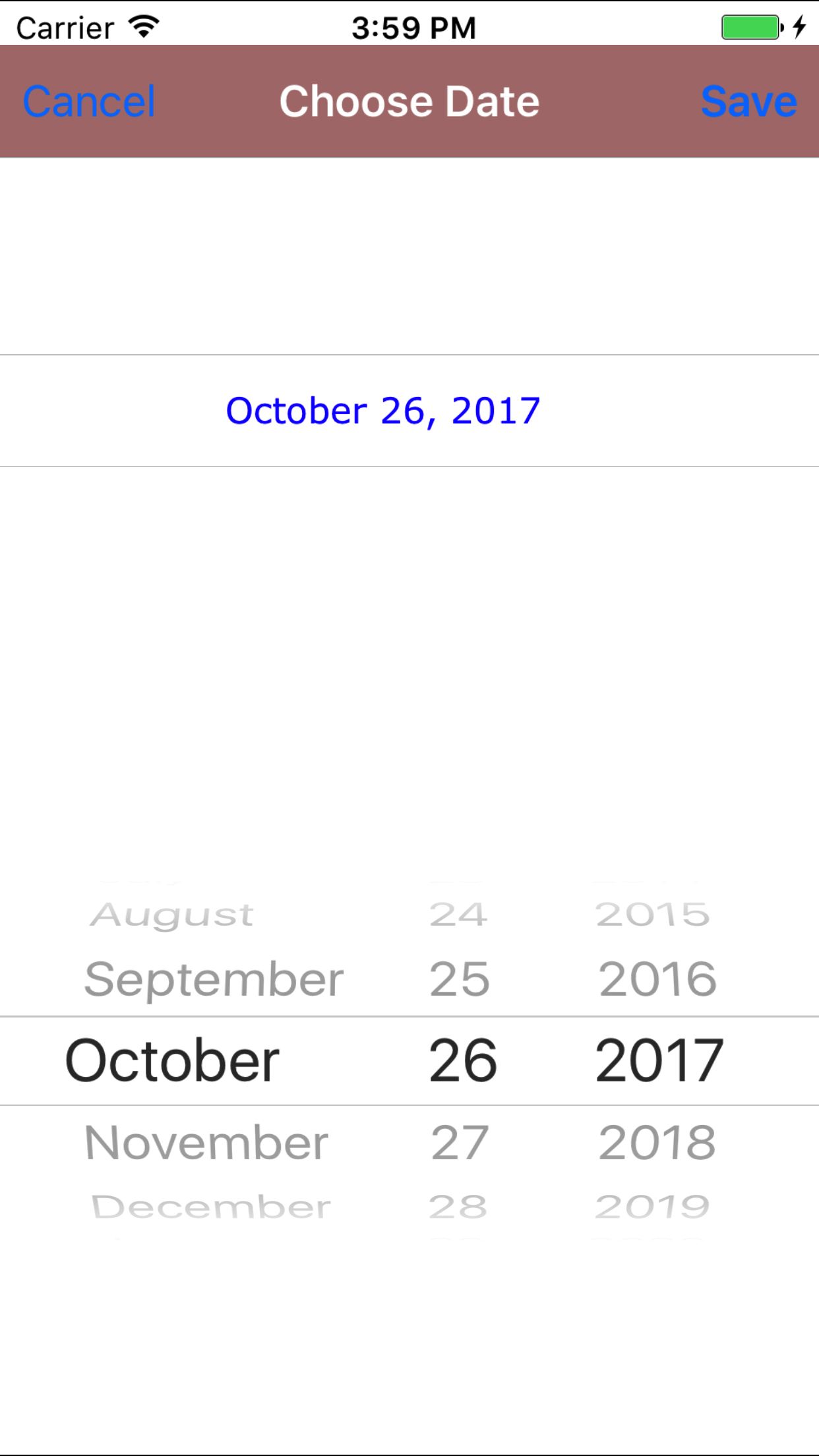
- Tap the Date field to open the Choose Date screen.
- Scroll the date wheel on the far left of the screen until the desired date is highlighted.
- Return to the Add First Aid Kit Inspection screen by either tapping Save in the top right corner to select the highlighted date or tapping Cancel in the top left corner to leave the Date: field unchanged.
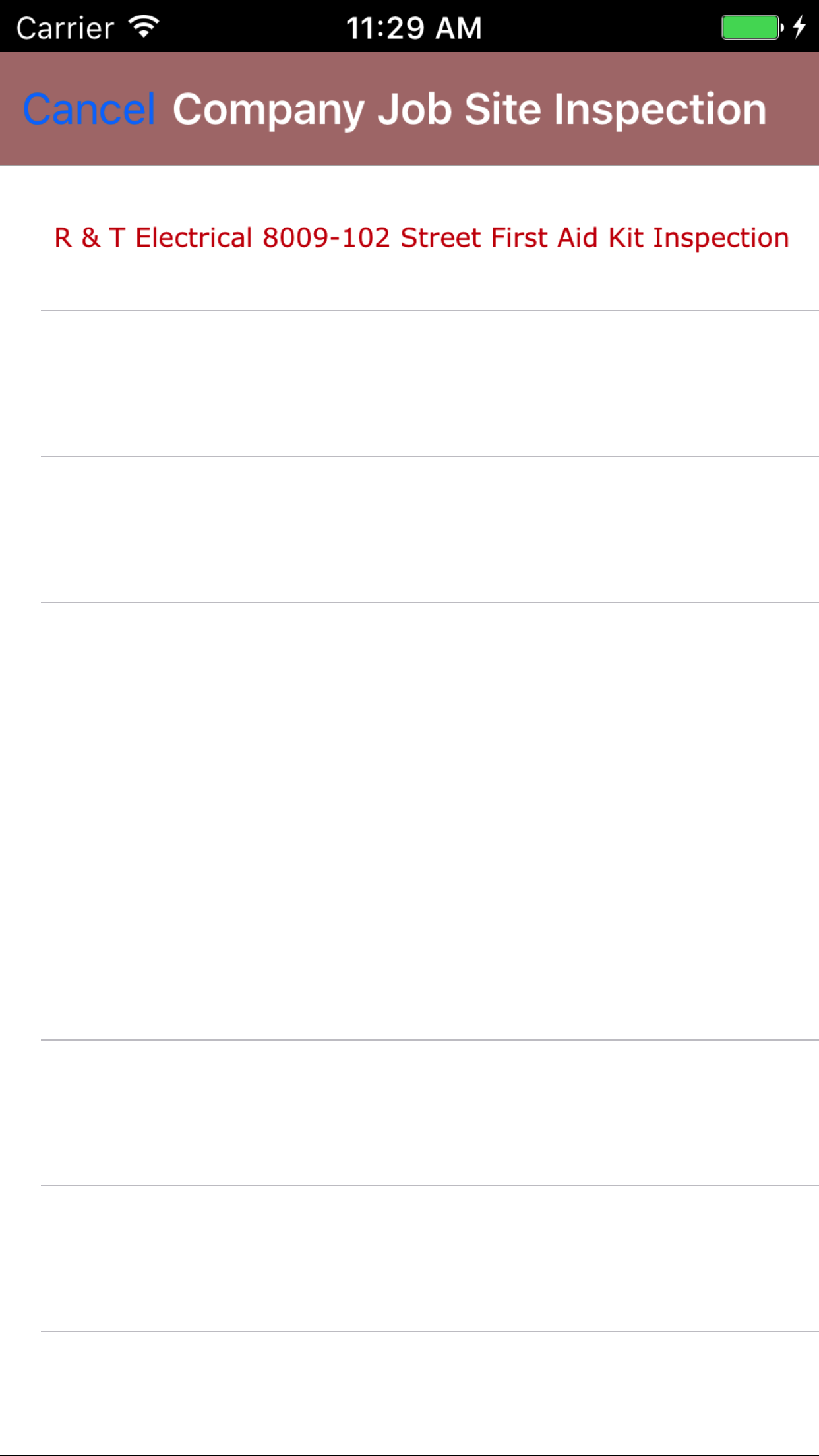
- Tap the Company First Aid Kit Inspection field to open the Choose Company First Aid Kit Inspection screen.
Job Site Names are listed in descending order job site name.
Note: Company First Aid Kit Inspections by nature will be updated and added to the list all the time, so it may be necessary to update the list click here.
To Search Job Sites: Pull down on the list view, the search is defaulted to search by job site name.
The other option for the Job Site search are by customer. Enter your search
criteria and click the Search button.
- Scroll the list of job sites until the desired job site is displayed on the screen.
- Tap the desired job site to select it or tap Back in the top left corner to leave the Company First Aid Kit Inspection field unchanged and return to the Add First Aid Kit Inspection screen.
- Return to the Add First Aid Kit Inspection screen by either tapping the appropriate job site or tapping Cancel in the top left corner to leave the First Aid Kit Inspection field unchanged.
- Tap the + icon in the top right corner to add the First Aid Kit Inspection.
- A pop-up message that reads First Aid Kit Inspection Added indicates that the First Aid Kit Inspection is ready to have details to be entered and first aid kit locations to be inspected.
|
|
|
|
|
2.Add First Aid Kit Inspection For Vehicle From Company First Aid Kit Inspection |
Steps
- From the Main Menu screen, tap the On Inspection button.
- Then tap on the First Aid Kit Inspection button, this opens the first aid kit inspection information page.
- Then tap on Next button in the top right corner, this opens the Add First Aid Kit Inspection from existing tab.
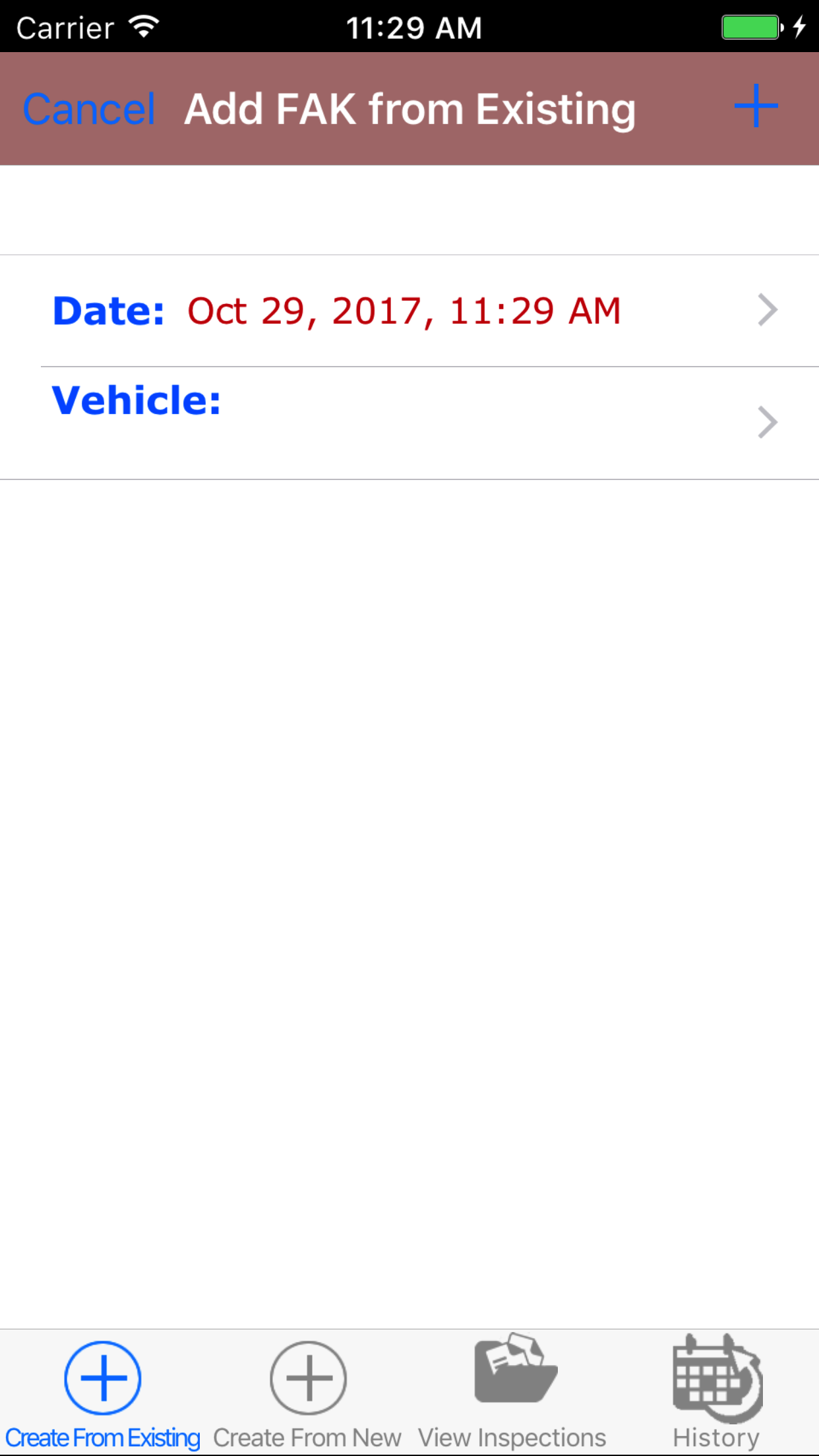
- Then tap on the Add FAK for Vehicle button.
- This opens the Add First Aid Kit Inspection For Vehicle From Company First Aid Kit Inspection entry screen.
- Date: The date field allow field staff to choose the date the first aid kit inspection occurs.
- Tap the Date field to open the Choose Date screen.
- Scroll the date wheel on the far left of the screen until the desired date is highlighted.
- Return to the Add First Aid Kit Inspection screen by either tapping Save in the top right corner to select the highlighted date or tapping Cancel in the top left corner to leave the Date: field unchanged.
- Tap the Company First Aid Kit Inspection field to open the Choose Company First Aid Kit Inspection screen.
Vehicles are listed in descending order vehicle code.
Note: Company First Aid Kit Inspections by nature will be updated and added to the list all the time, so it may be necessary to update the list click here.
- Scroll the list of vehicles until the desired job site is displayed on the screen.
- Tap the desired vehicle to select it or tap Back in the top left corner to leave the Company First Aid Kit Inspection field unchanged and return to the Add First Aid Kit Inspection screen.
- Return to the Add First Aid Kit Inspection screen by either tapping the appropriate vehicle or tapping Cancel in the top left corner to leave the First Aid Kit Inspection field unchanged.
- Tap the + icon in the top right corner to add the First Aid Kit Inspection.
- A pop-up message that reads First Aid Kit Inspection Added indicates that the First Aid Kit Inspection is ready to have details to be entered and first aid kit locations to be inspected.
|
|
|
|
|
3.Add First Aid Kit Inspection For Job Site |
Steps
- From the Main Menu screen, tap the Inspection button.
- Then tap on the First Aid Kit Inspection button.
- Then tap on the First Aid Kit Inspection button, this opens the Add First Aid Kit Inspection from existing tab.
- Then tap on the second tab, this opens the Add First Aid Kit Inspection from new tab.
- Then tap on the Add FAK for Job Site button.
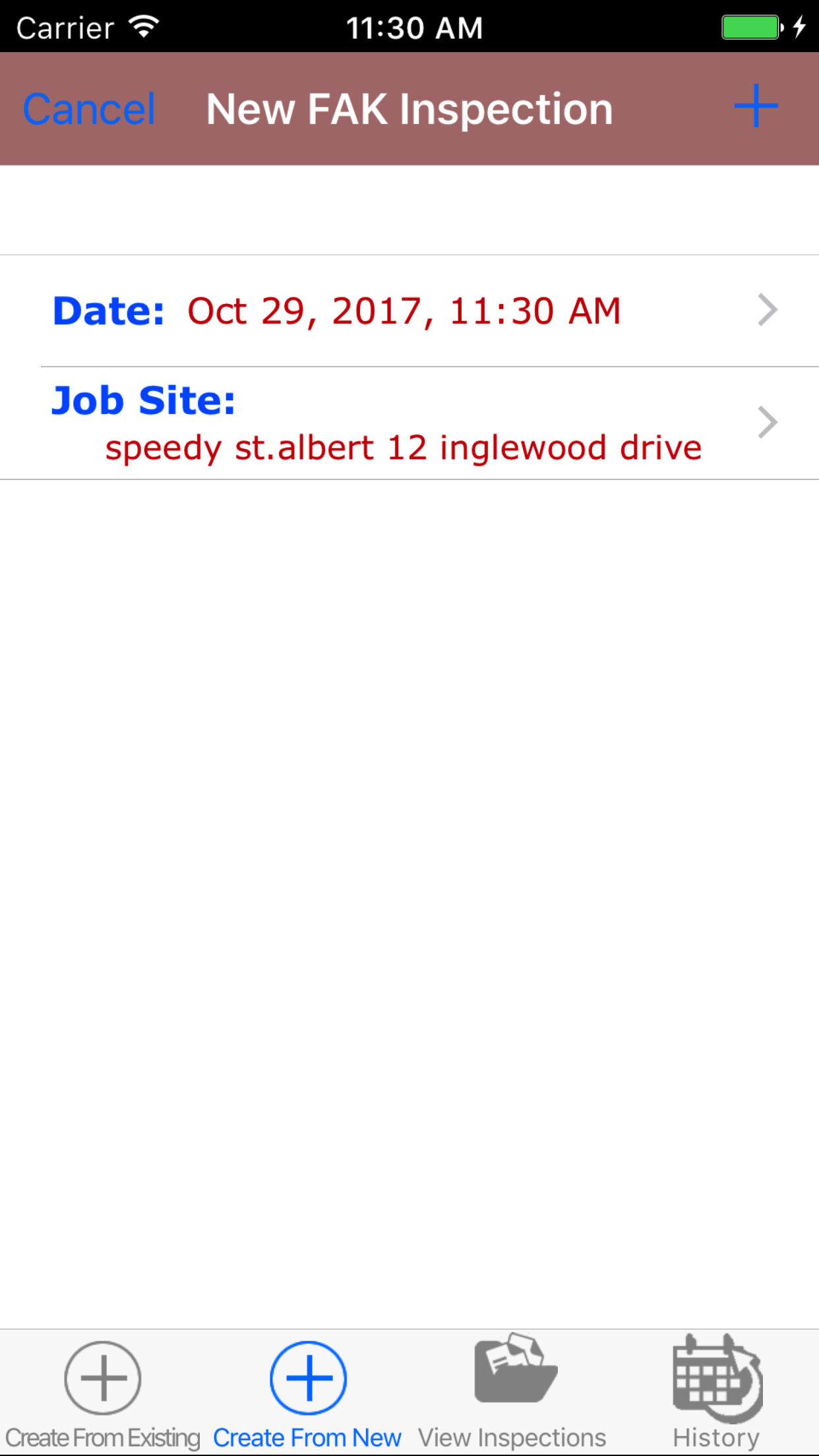
- This opens the Add First Aid Kit Inspection For Job Site entry screen.
- Date: The date field allow field staff to choose the date the first aid kit inspection occurs.
- Tap the Date field to open the Choose Date screen.
- Scroll the date wheel on the far left of the screen until the desired date is highlighted.
- Return to the Add First Aid Kit Inspection screen by either tapping Save in the top right corner to select the highlighted date or tapping Cancel in the top left corner to leave the Date: field unchanged.
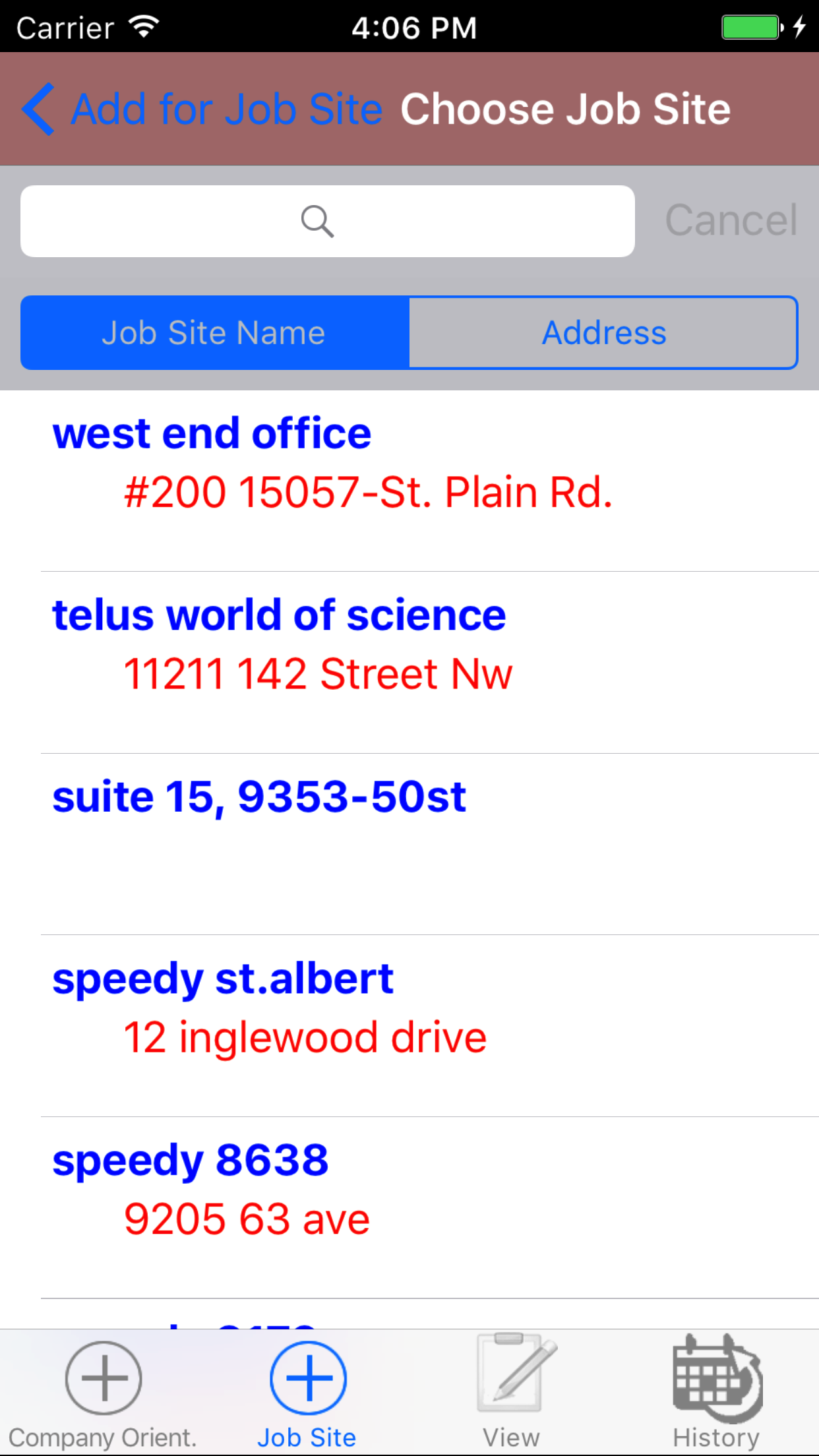
- Tap the Job Site field to open the Choose Job Site screen.
Job Site are listed in descending order job site name.
Note: Job Sites by nature will be updated and added to the list all the time, so it may be necessary to update the list click here.
To Search Job Sites: Pull down on the list view, the search is defaulted to search by job site name.
The other option for the Job Site search are by customer. Enter your search
criteria and click the Search button.
- Scroll the list of job sites until the desired job site is displayed on the screen.
- Tap the desired vehicle to select it or tap Back in the top left corner to leave the First Aid Kit Inspection field unchanged and return to the Add First Aid Kit Inspection screen.
- Return to the Add First Aid Kit Inspection screen by either tapping the appropriate job site or tapping Cancel in the top left corner to leave the First Aid Kit Inspection field unchanged.
- Tap the + icon in the top right corner to add the First Aid Kit Inspection.
- A pop-up message that reads First Aid Kit Inspection Added indicates that the First Aid Kit Inspection is ready to have details to be entered and first aid kit locations to be inspected.
|
|
|
|
|
4.Add First Aid Kit Inspection For Vehicle |
Steps
- From the Main Menu screen, tap the Inspection button.
- Then tap on the First Aid Kit Inspection button.
- Then tap on the First Aid Kit Inspection button, this opens the Add First Aid Kit Inspection from existing tab.
- Then tap on the second tab, this opens the Add First Aid Kit Inspection from new tab.
- Then tap on the Add FAK for Vehicle button.
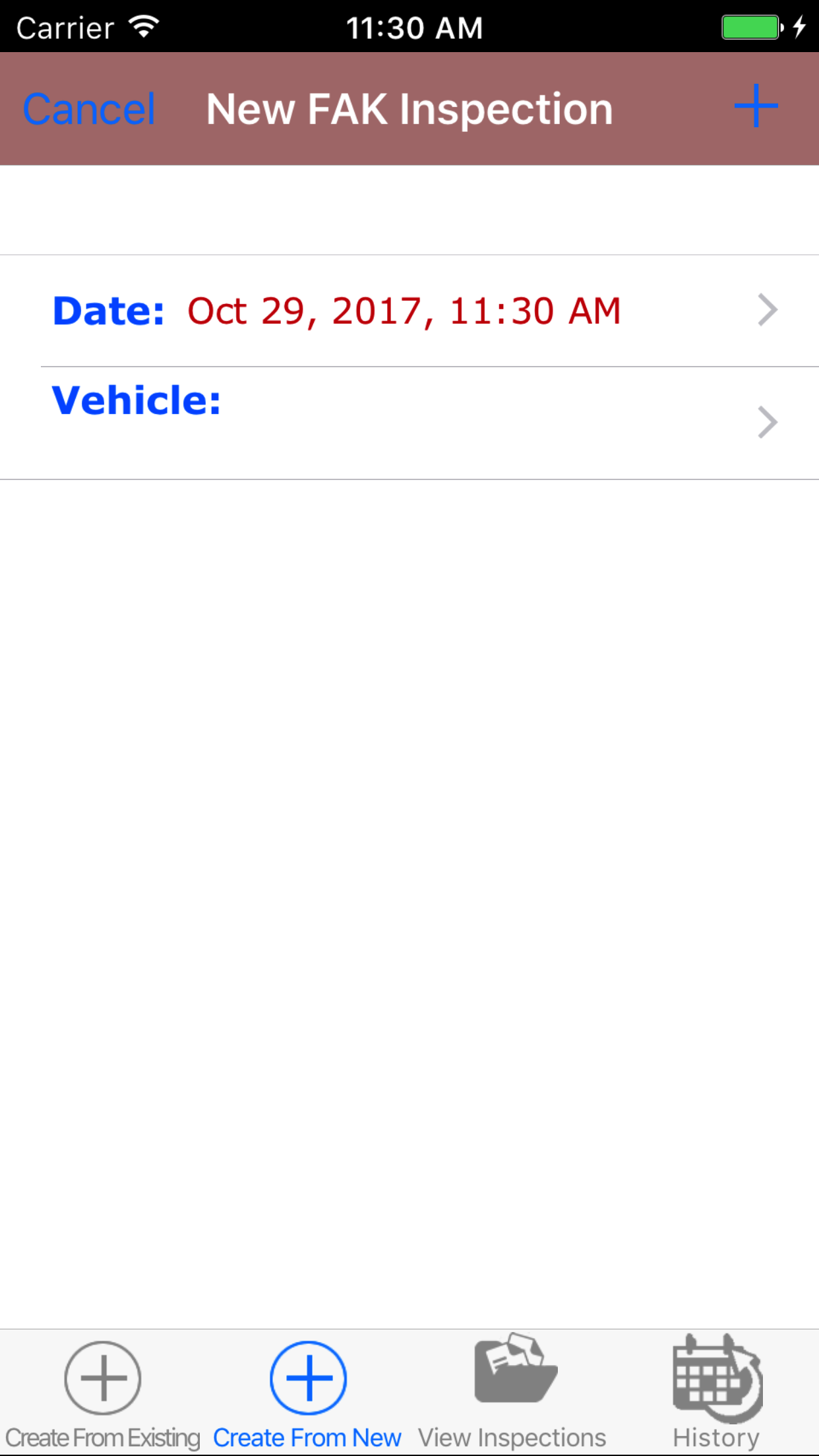
- This opens the Add First Aid Kit Inspection For Vehicle entry screen.
- Date: The date field allow field staff to choose the date the first aid kit inspection occurs.
- Tap the Date field to open the Choose Date screen.
- Scroll the date wheel on the far left of the screen until the desired date is highlighted.
- Return to the Add Fire Extinguisher Inspection screen by either tapping Save in the top right corner to select the highlighted date or tapping Cancel in the top left corner to leave the Date: field unchanged.
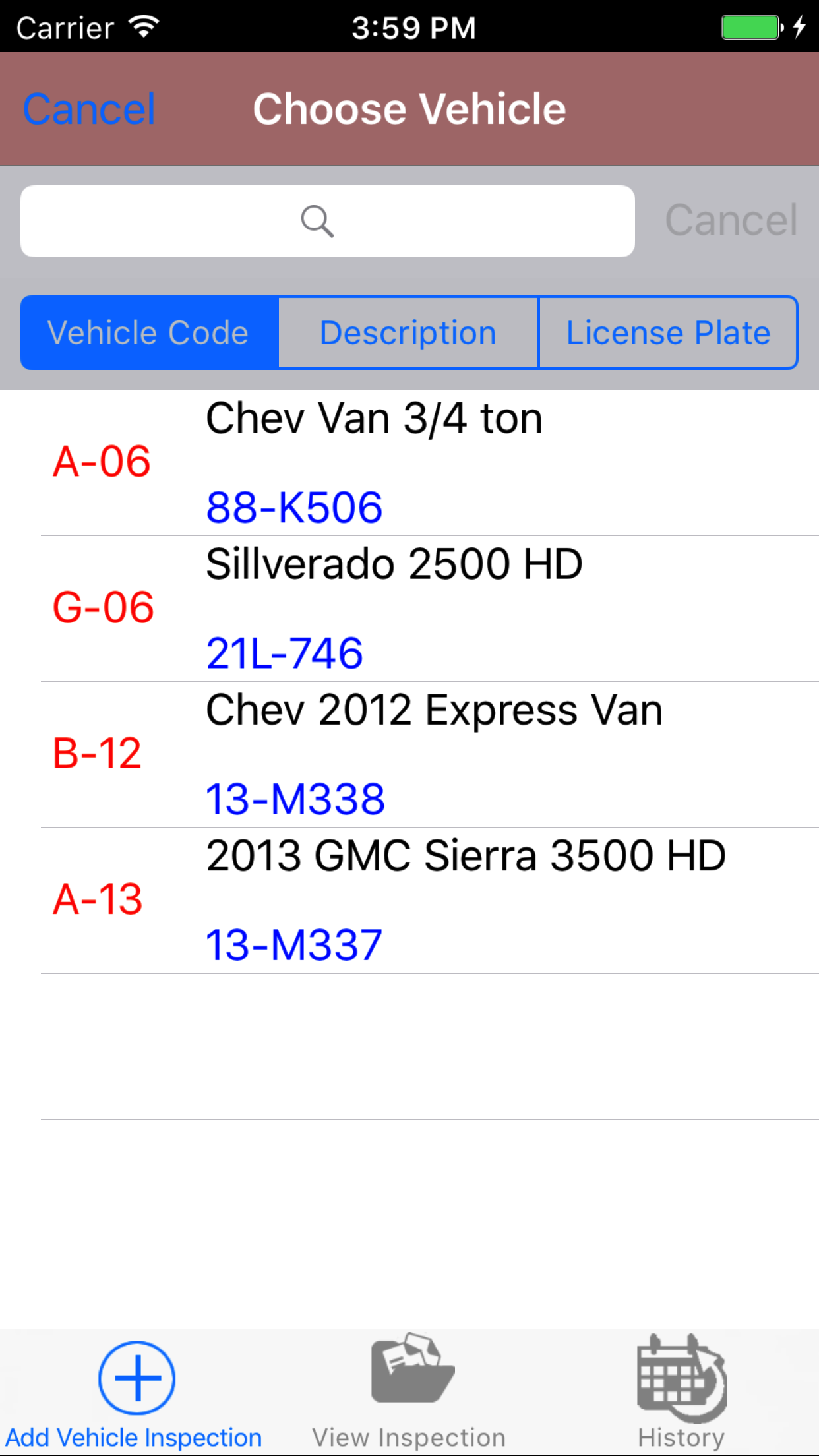
- Tap the Vehicle field to open the Choose Vehicle screen.
>Vehicle are listed in descending order with the vehicle description.
To Search Vehicles: Pull down on the list view, the search is defaulted to search by vehicle code.
The other options for the Vehicle search are by description and license plate. Enter your search
criteria and click the Search button.
- Scroll the list of vehicle until the desired vehicle is displayed on the screen.
- Tap the desired Vehicle to select it or tap Back in the top left corner to leave the Company First Aid Kit Inspection field unchanged and return to the Add First Aid Kit Inspection screen.
- Tapping the Cancel in the top left corner to leave the First Aid Kit Inspection field unchanged.
- Tap the + icon in the top right corner to add the First Aid Kit Inspection.
- A pop-up message that reads First Aid Kit Inspection Added indicates that the First Aid Kit Inspection is ready to have details to be entered and first aid kit locations to be inspected.
|
|
|
|
|
5.Look Up Open First Aid Kit Inspection |
|
Once in the First Aid First Aid Kit Inspection section
Steps
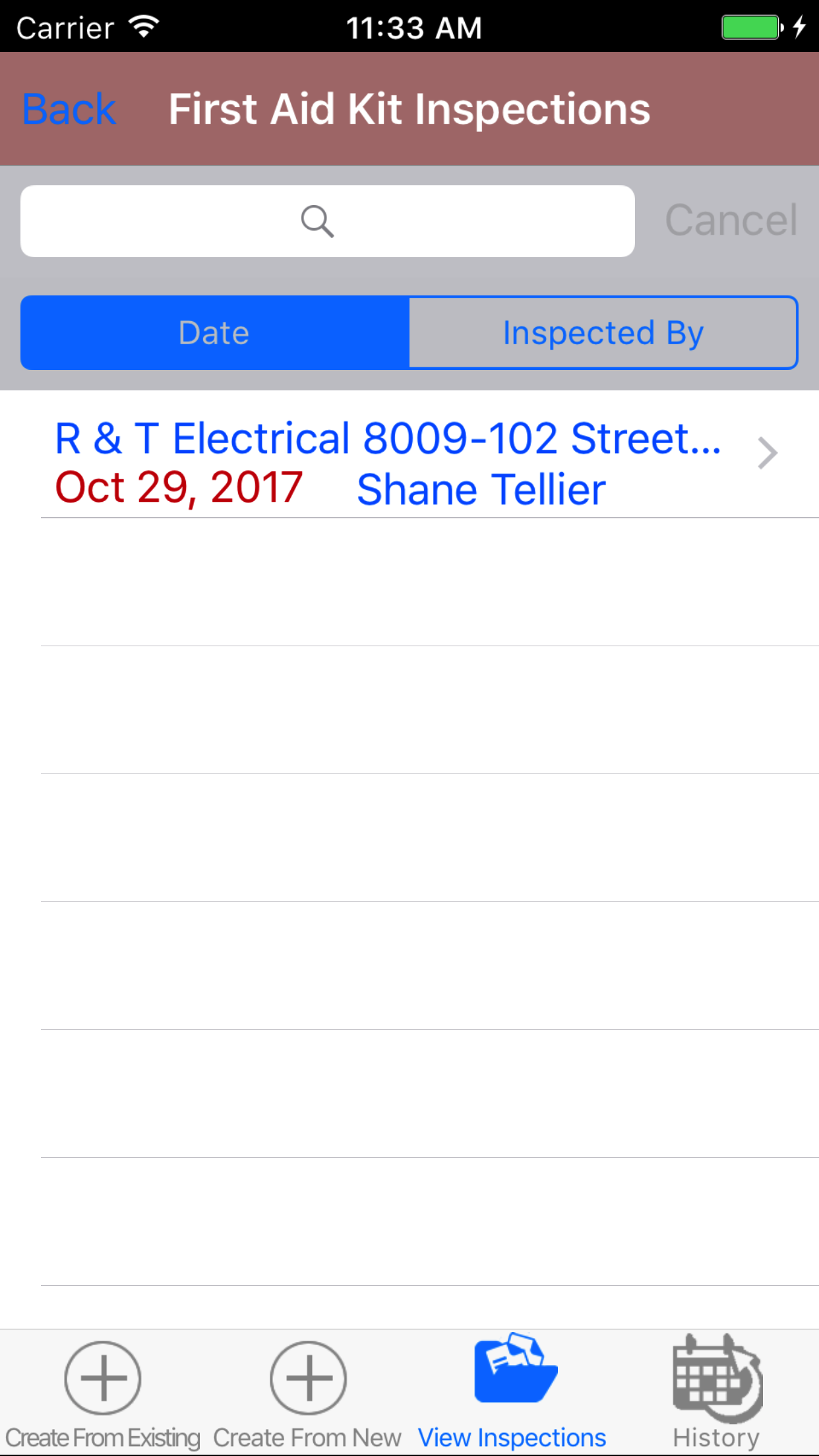
- Tap the third tab on the menu, the First Aid Kit Inspection view.
To Search First Aid First Aid Kit Inspections: Pull down on the list view, the search is defaulted to search by date enter the date in following
format YYYY-MM-DD. The other option for the First Aid First Aid Kit Inspection search inspected by employee last name. Enter your search
criteria and click the Search button.
- Scroll the list of Fire Extinguisher Inspections until the desired First Aid Kit Inspection is displayed on the screen.
Listing the first aid kit inspection date in blue text, the job site in black text.
- Tap on the First Aid Kit Inspection you would like to view. This loads the first aid kit inspection edit screen.
|
|
| Steps 1-3 |
|
|
6.Edit First Aid Kit Inspection Details |
|
The first step in completing a First Aid Kit Inspection is completing the details of the first aid kit inspection the date, and field staff employee whom conducted the first aid kit inspection.
Once on the First Aid Kit Inspection you would like to Edit, on the details tab.
Steps
- Date: The date field allow field staff to choose the date and time the first aid kit inspection occurs.
- Tap the Date field to open the Choose Date screen.
- Scroll the date wheel on the far left of the screen until the desired date is highlighted.
- Return to the Edit First Aid Kit Inspection screen by either tapping Save in the top right corner to select the highlighted date or tapping Cancel in the top left corner to leave the Date: field unchanged.
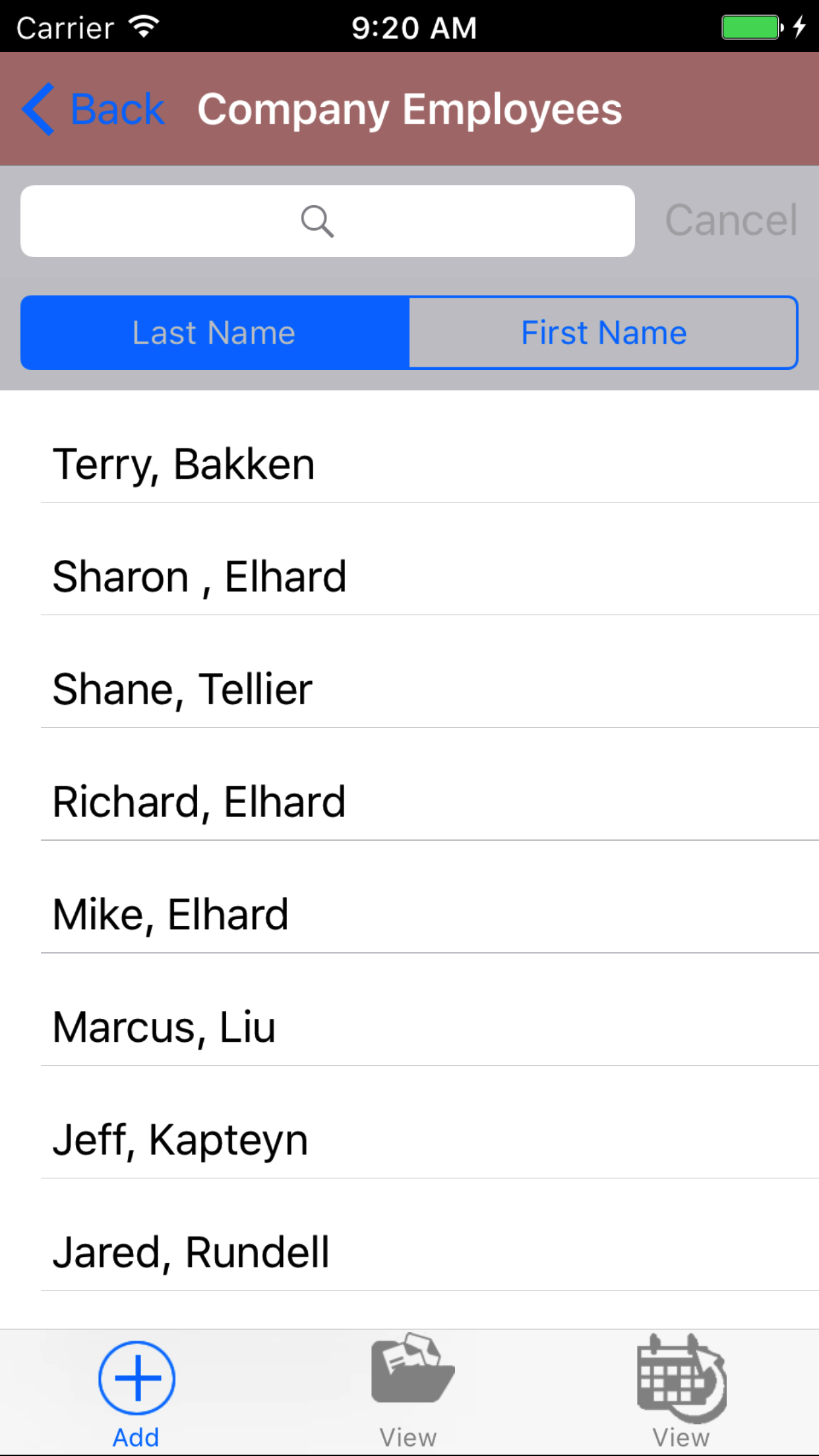
- Tap the Employee field to open the Choose Employee screen.
Employees are listed in descending order.
To Search Employees: Pull down on the list view, the search is defaulted to search by last name.
The other option for the Employee search is by first name. Enter your search
criteria and click the Search button.
- Scroll the list of employees until the desired employee is displayed on the screen.
- Tap the desired employee to select it or tap Back in the top left corner to leave the Employee field unchanged and return to the Edit First Aid Kit Inspection screen.
- Return to the Edit First Aid Kit Inspection screen by either tapping the appropriate vehicle or tapping Cancel in the top left corner to leave the employee field unchanged.
- Tap Save in the top right corner to save any changes to the First Aid Kit Inspection Details.
- A pop-up message that reads First Aid Kit Inspection Details have been Saved indicates that the first aid kit inspection details have been saved.
|
|
|
|
7.Add Employee Signature |
|
Each employee added to the First Aid Kit Inspection must provide an electronic signature to indicate that they have been made aware of first aid kit inspection.
Once on the First Aid Kit Inspection you would like to Edit
Steps
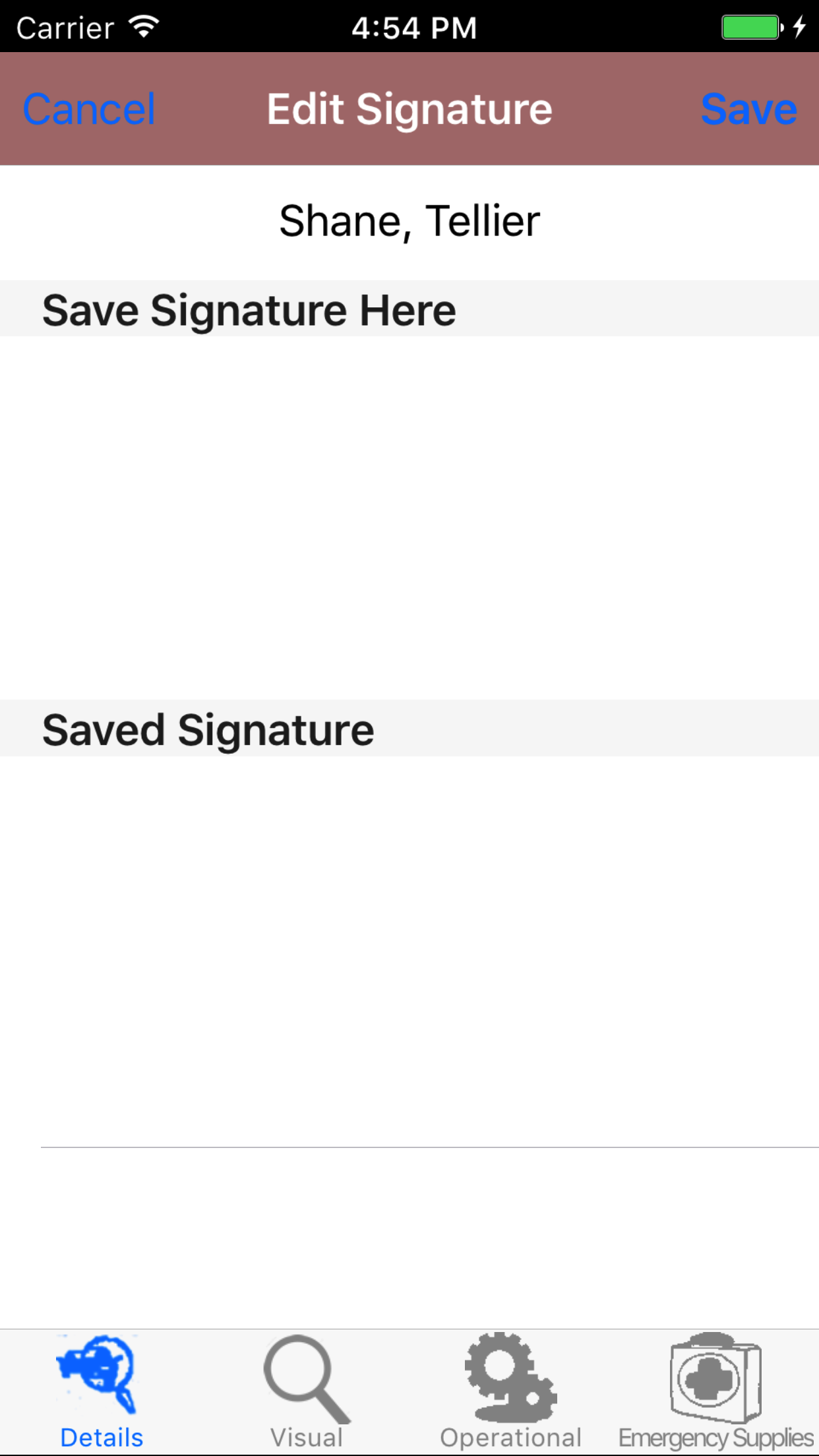
- Tap the first tab, the details tab.
- Tap the employee signature button.
- Sign in the white space beneath the Save New Signature Here label.
- Tap Save in the top right corner of the screen to update the Saved Signature field.
The saved signature will appear below the signature entry screen.
|
|
| Steps 3-4 |
|
|
|
8.Add First Aid Kit Location |
|
The First Aid Kit Location section of the First Aid Kit Inspection, allows users to add first aid kit locations for a job site.R & T Electric Pro includes information
about the location and type of first aid kit to make it easier for future inspections, adding this information will allow field staff to know where all first aid kits are located for a job site.
Once on the First Aid Kit Inspection you would like to view
Steps
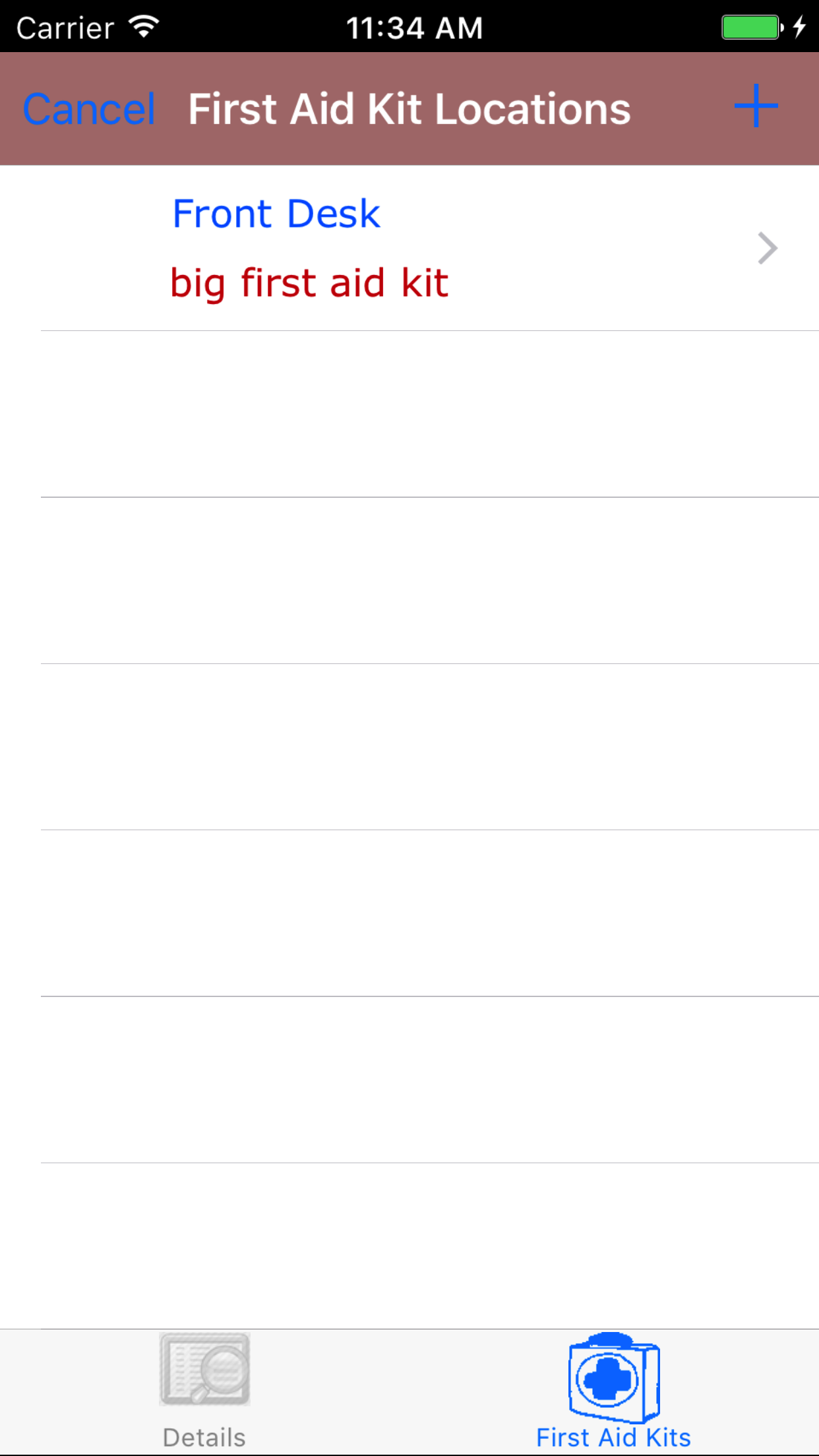
- Tap on the second tab, the First Aid Kit icon at the bottom of the screen to open the First Aid Kit Location screen. The screen loads
opens with a list of first aid kit locations, with the location, and first aid kit description in blue text.
- Tap the Add button on the top right corner, this loads the add first aid kit location screen.
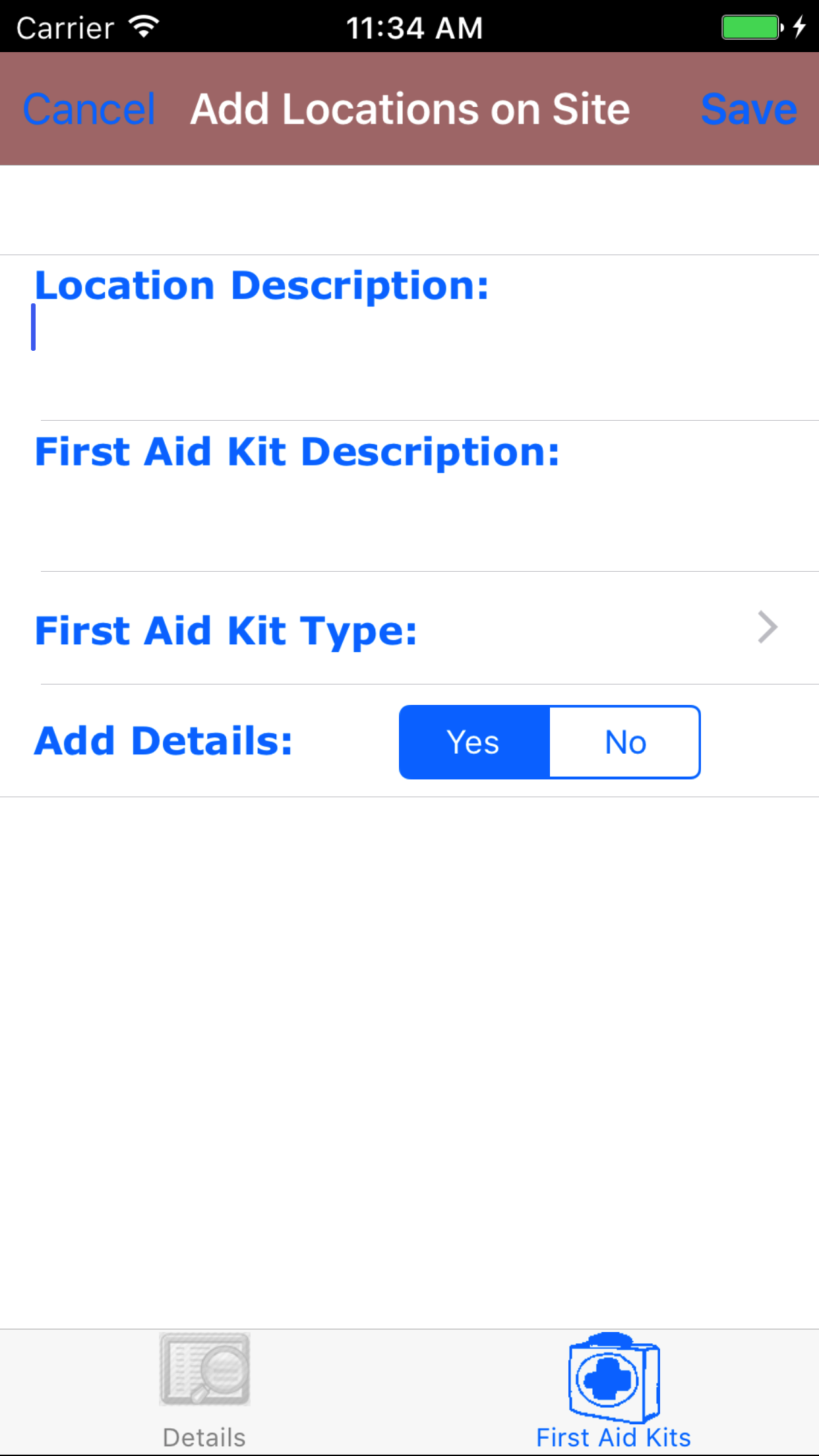
Fields
- Location Description: The location description field allows field staff to enter a description of where the first aid kit is located. The Character limit of the field is 250.
- First Aid Kit Description: The first aid kit description field allows field staff to enter a description of the first aid kit. The Character limit of the field is 250.
- First Aid Kit Type: The extinguisher type field allows field staff to select the type of first aid kit is located.
- Tap the First Aid Kit Type: field to open the First Aid Kit Type screen.
Fire Extinguisher Types are in descending in the order.
- Tap the desired first aid kit type to select it or tap Back in the top left corner to leave the first aid kit type field unchanged and return to the Add First Aid Kit Location screen.
- Return to the Add First Aid Kit Location screen by either tapping Save in the top right corner to select the highlighted date or tapping Cancel in the top left corner to leave the First Aid Kit Type field unchanged.
- Add Details: The Add Details field allows users to add first aid kit details based on the type of first aid kit being added to the location.
- Tap Yes on the Yes|No segmented controller to indicate that user wants to add the first aid kit details to the location.
- Tap the Add button on the top right corner, to add the a first aid kit location.
|
|
|
| Steps 1-2 |
|
|
| Steps 3-11 |
|
|
|
9.Look Up First Aid Kit Location |
Once on the First Aid Kit Inspection you would like to view
Steps
- Tap on the second tab, the First Aid Kit Inspection icon at the bottom of the screen to open the First Aid Kit Location screen. The screen loads
opens with a list of first aid kit locations with the location and description in
blue text.
- Scroll the list of First Aid Kit Locations until the desired location is displayed on the screen.
- Tap on the desired location. This loads the edit First Aid Kit Location screen.
|
|
|
|
| Steps 1-3 |
|
|
10.Edit First Aid Kit Location |
Once on the edit First Aid Kit Location screen
Fields
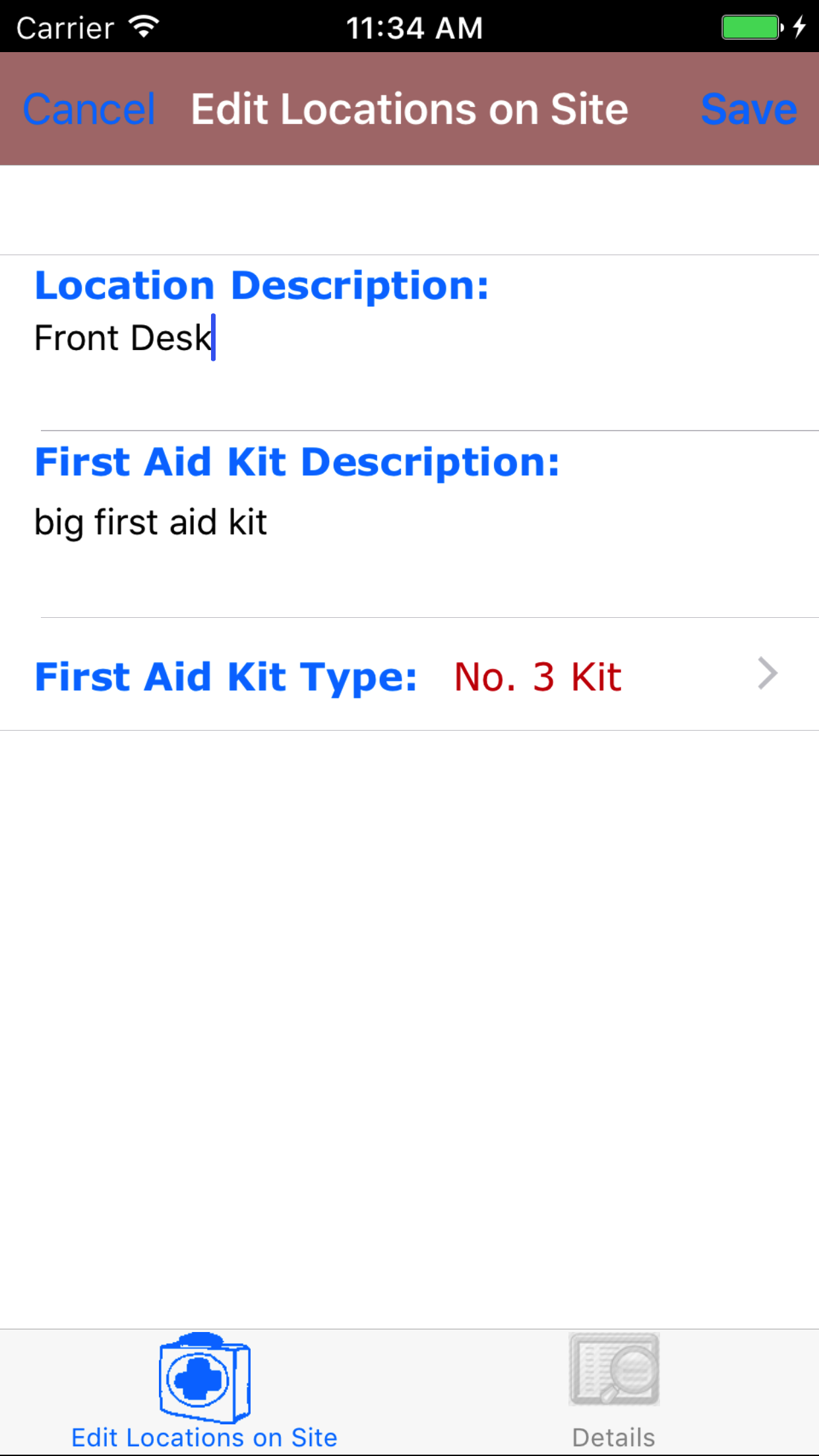
- Location Description: The location description field allows field staff to enter a description of where the first aid kit is located. The Character limit of the field is 250.
- First Aid Kit Description: The first aid kit description field allows field staff to enter a description of the first aid kit. The Character limit of the field is 250.
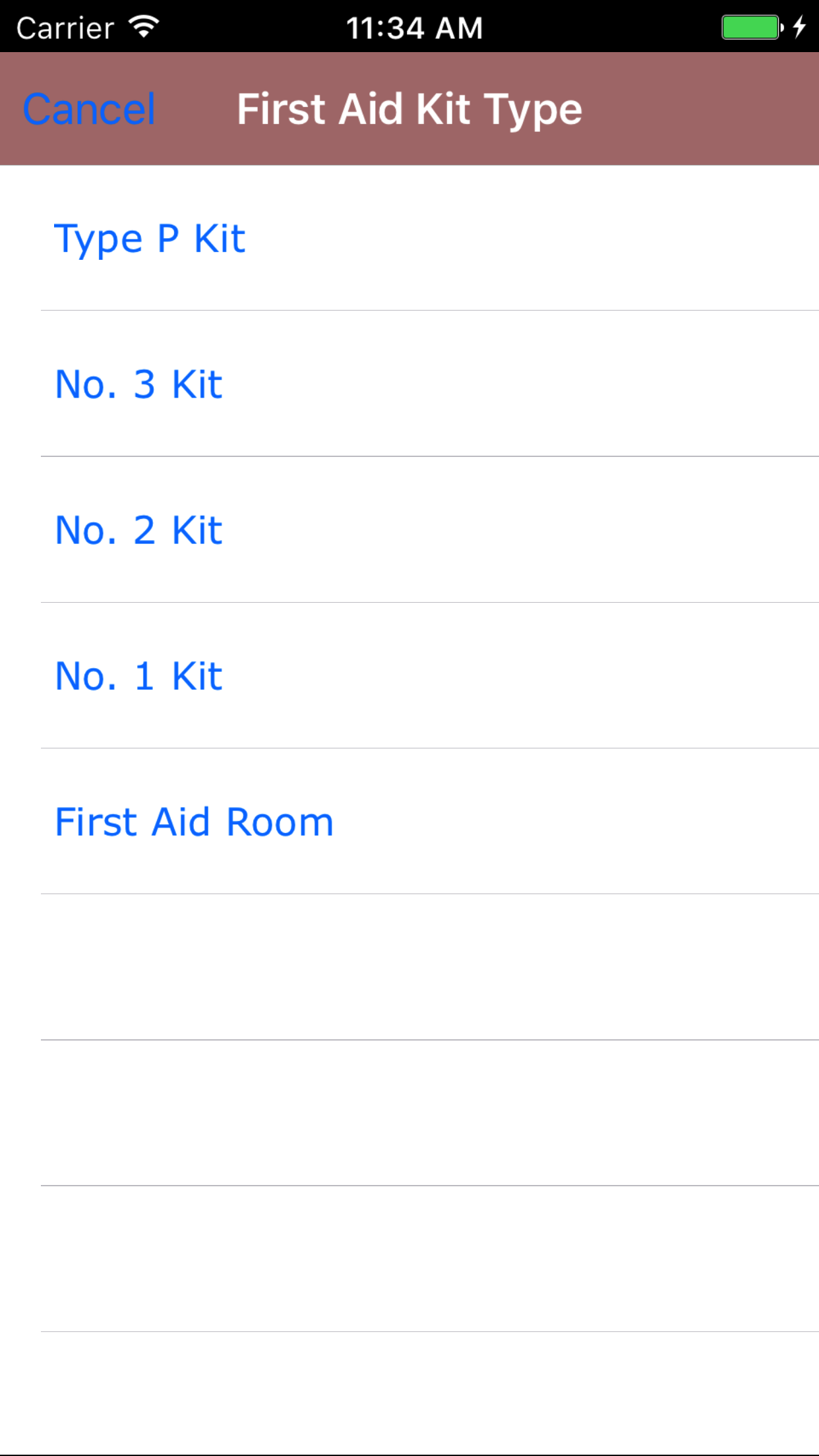
- First Aid Kit Type: The first aid kit type field allows field staff to select the type of first aid kit is located.
- Tap the First Aid Kit Type: field to open the First Aid Kit Type screen.
First Aid Kit Types are in descending in the order.
- Tap the desired first aid kit type to select it or tap Back in the top left corner to leave the first aid kit type field unchanged and return to the Edit First Aid Kit Location screen.
- Return to the Edit First Aid Kit Location screen by either tapping Save in the top right corner to select the highlighted date or tapping Cancel in the top left corner to leave the First Aid Kit Type field unchanged.
- Tap the Save button on the top right corner, to edit the a first aid kit location.
|
|
|
| Steps 4 |
|
|
| Steps 1-3 and Step 5 |
|
|
|
11.Delete First Aid Kit Location |
Once on the First Aid Kit Inspection you would like to view
Steps
- Tap on the second tab, the First Aid Kit Inspection icon at the bottom of the screen to open the First Aid Kit Location screen. The screen loads
opens with a list of first aid kit locations with the location and description in
blue text.
- Scroll the list of First Aid Kit Locations until the desired location is displayed on the screen.
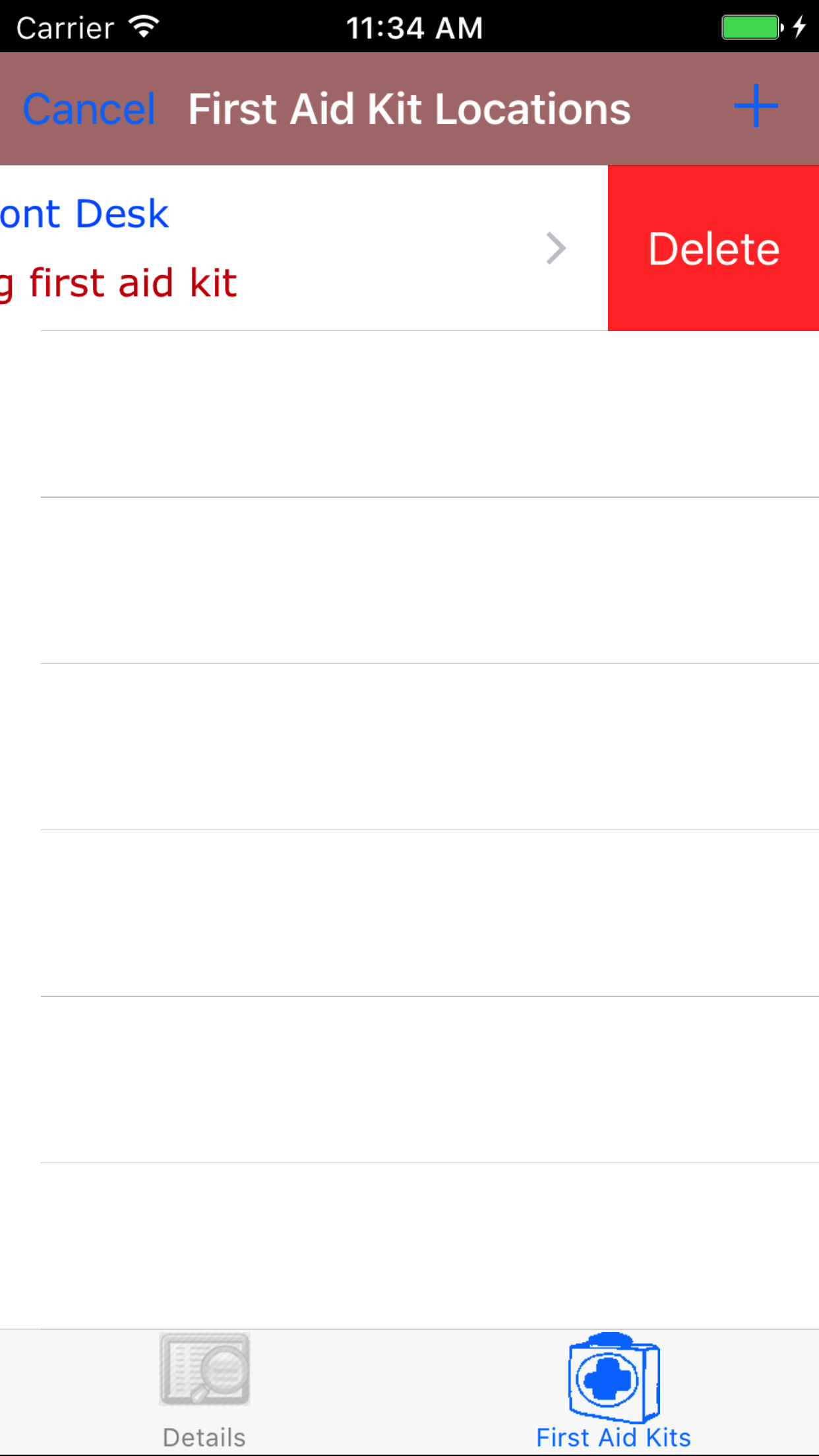
- Swipe from the right edge to the left to bring up the delete button for the first aid kit location.
- Tap the Delete button. The first aid kit location will be deleted.
|
|
|
|
| Steps 1-2 |
|
|
| Steps 3-4 |
|
|
|
12.Add First Aid Kit Detail |
|
The First Aid Kit Detail section of the First Aid Kit Inspection, allows users to add first aid kit details for first aid kit locations.R & T Electric Pro includes information
about the first aid kit details of first aid kit locations to make it easier for future inspections, adding this information will allow field staff
to know where what should be included in first aid kits.
Once on the First Aid Kit Inspection Location you would like to view
Steps
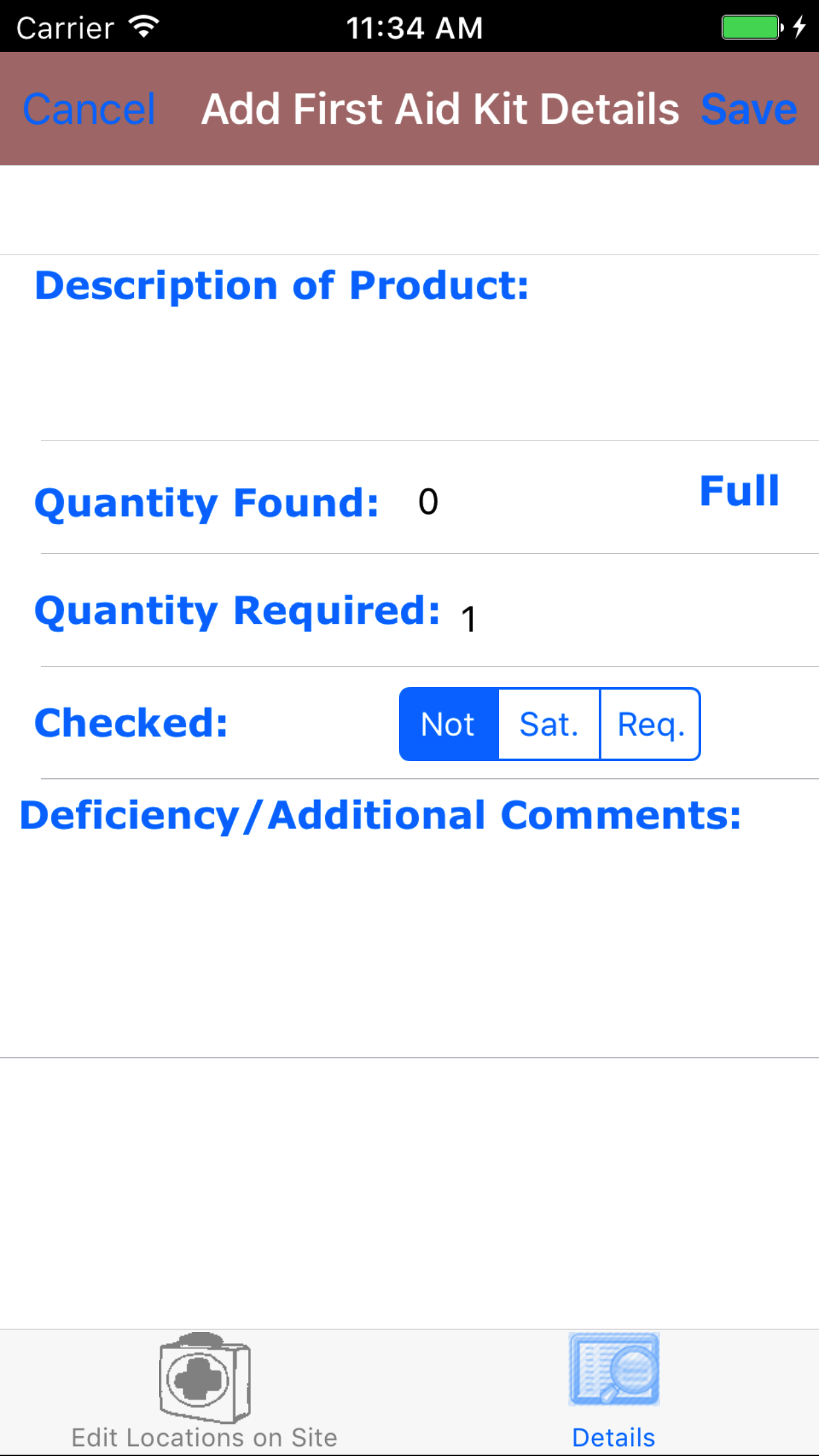
- Tap the Add button on the top right corner, this loads the add first aid kit location screen.
Fields
- Description of Product: The description of the product field allows field staff to enter a description of the product in the first aid kit. The Character limit of the field is 250.
- Quantity Found: The quantity found field allows field staff to enter the quantity found of the product detail. The field is a numeric value.
- Quantity Required: The quantity required field allows field staff to enter the quantity required of the product detail in the first aid kit. The field is a numeric value.
- Checked: The Checked field allows users to mark that they have checked the first aid kit and either it is satisfactory (Sat.) or it requires attention (Req.)
- Tap Sat. on the Not|Sat.|Req. segmented controller to indicate the checked status of the first aid kit detail.
- Deficiency / Additional Comments: The deficiency and additional comments field allows field staff to enter a description of the issues found for the first aid kit detail. The Character limit of the field is 250.
- Tap the Add button on the top right corner, to add the a first aid kit detail.
|
|
|
| Steps 1-2 |
|
|
| Steps 3-11 |
|
|
|
13.Look Up First Aid Kit Detail |
|
Once on the First Aid Kit Location you would like to view
Steps
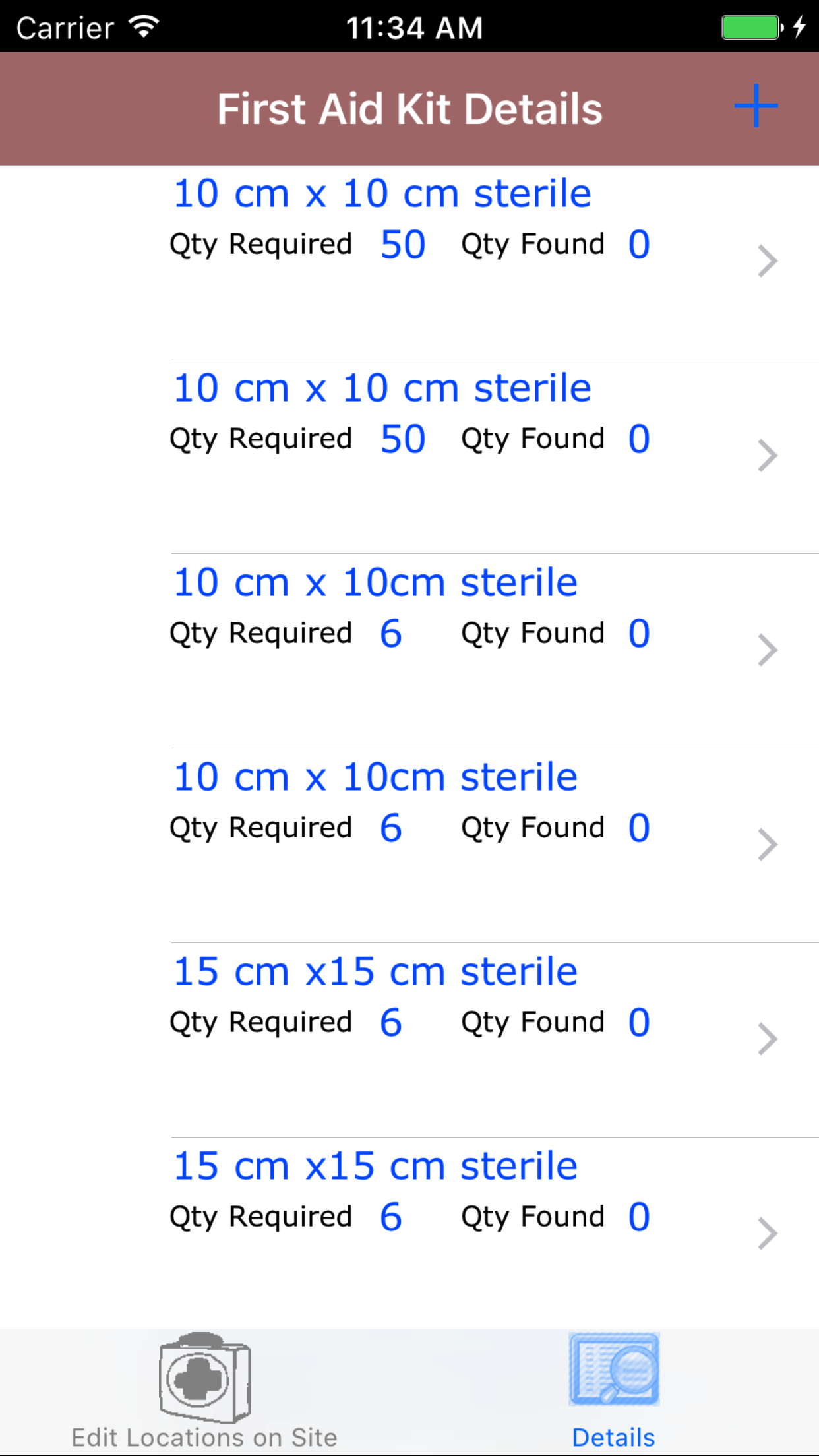
- Tap on the second tab, the First Aid Kit Details icon at the bottom of the screen to open the First Aid Kit Details screen. The screen loads
opens with a list of first aid kit details with the product description and quantity required and quantity found in
blue text and comments in red text.
- Scroll the list of First Aid Kit Details until the desired detail is displayed on the screen.
- Tap on the desired detail. This loads the edit First Aid Kit Detail screen.
|
|
|
|
| Steps 1-3 |
|
|
14.Edit First Aid Kit Detail |
Once on the edit First Aid Kit Detail screen
Fields
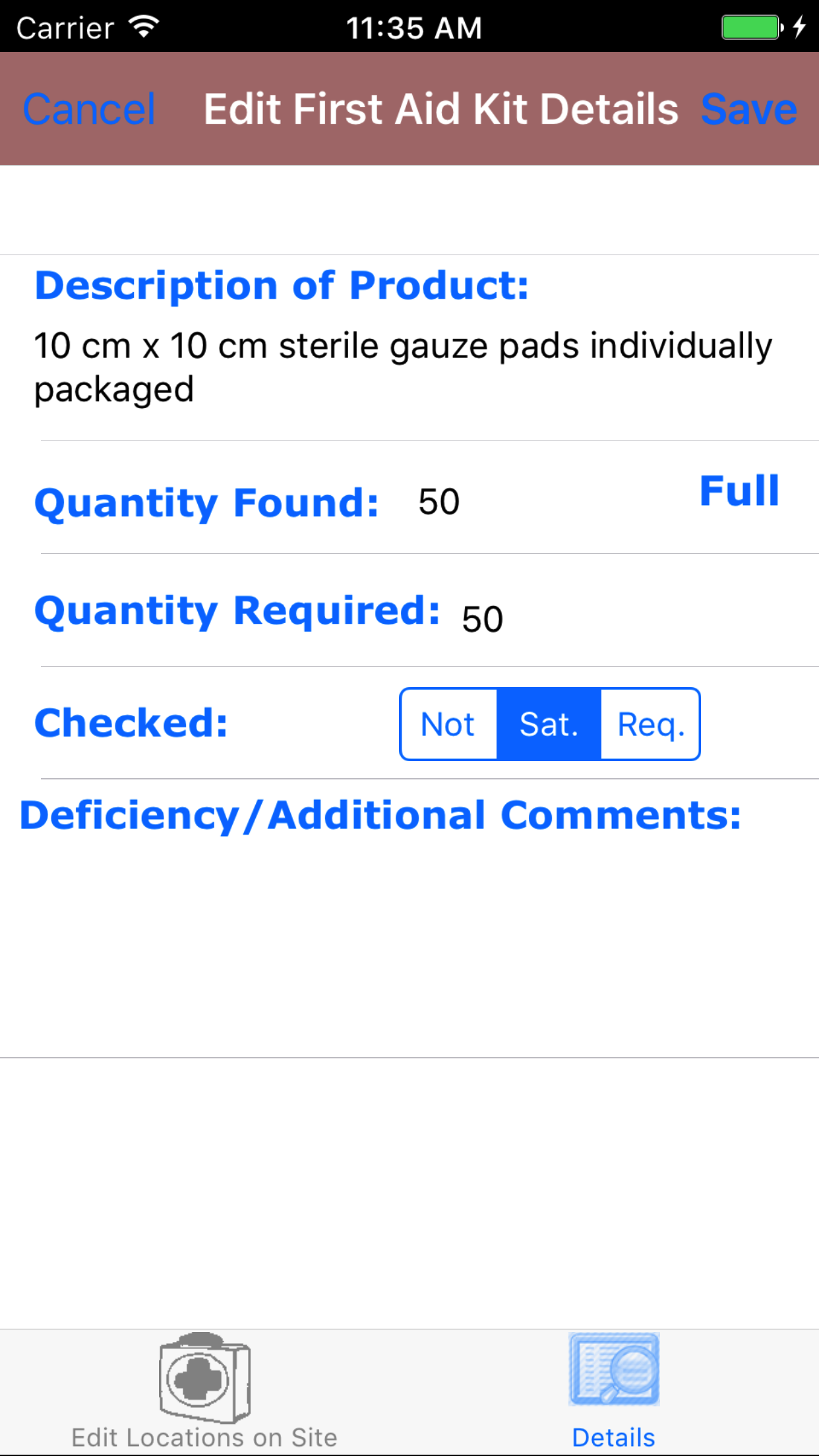
- Description of Product: The description of the product field allows field staff to enter a description of the product in the first aid kit. The Character limit of the field is 250.
- Quantity Found: The quantity found field allows field staff to enter the quantity found of the product detail. The field is a numeric value.
- Quantity Required: The quantity required field allows field staff to enter the quantity required of the product detail in the first aid kit. The field is a numeric value.
- Checked: The Checked field allows users to mark that they have checked the first aid kit and either it is satisfactory (Sat.) or it requires attention (Req.)
- Tap Sat. on the Not|Sat.|Req. segmented controller to indicate the checked status of the first aid kit detail.
- Deficiency / Additional Comments: The deficiency and additional comments field allows field staff to enter a description of the issues found for the first aid kit detail. The Character limit of the field is 250.
- Tap the Save button on the top right corner, to edit the a first aid kit location.
|
|
| Steps 1-6 |
|
|
15.Delete First Aid Kit Detail |
|
Once on the First Aid Kit Location you would like to view
Steps
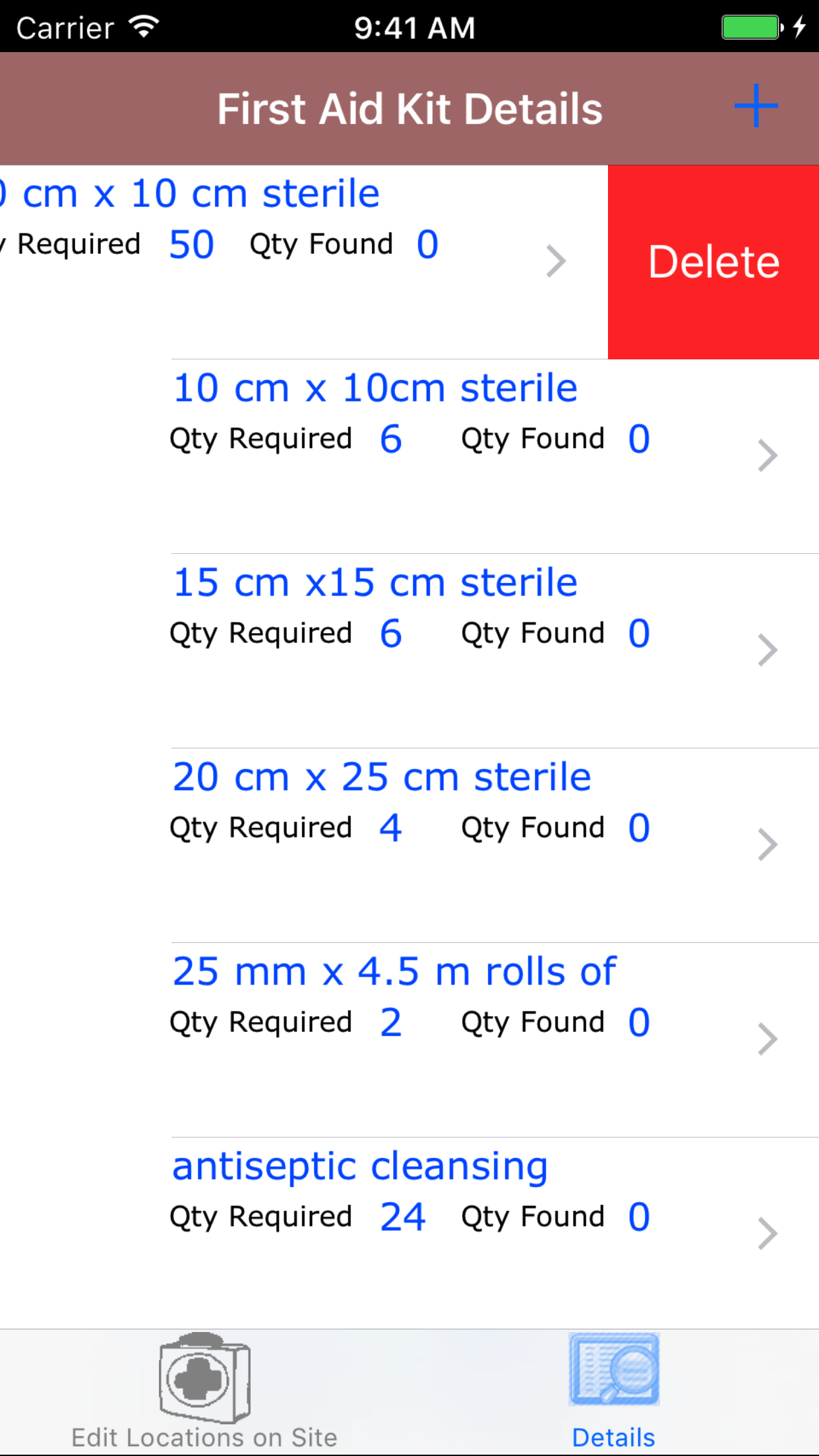
- Tap on the second tab, the First Aid Kit Details icon at the bottom of the screen to open the First Aid Kit Details screen. The screen loads
opens with a list of first aid kit details with the product description and quantity required and quantity found in
blue text and comments in red text.
- Scroll the list of First Aid Kit Details until the desired detail is displayed on the screen.
- Tap on the desired detail. This loads the edit First Aid Kit Detail screen.
- Swipe from the right edge to the left to bring up the delete button for the first aid kit detail.
- Tap the Delete button. The first aid kit detail will be deleted.
|
|
|
|
| Steps 1-2 |
|
|
| Steps 3-4 |
|
|
|
16.Submit First Aid Kit Inspection |
|
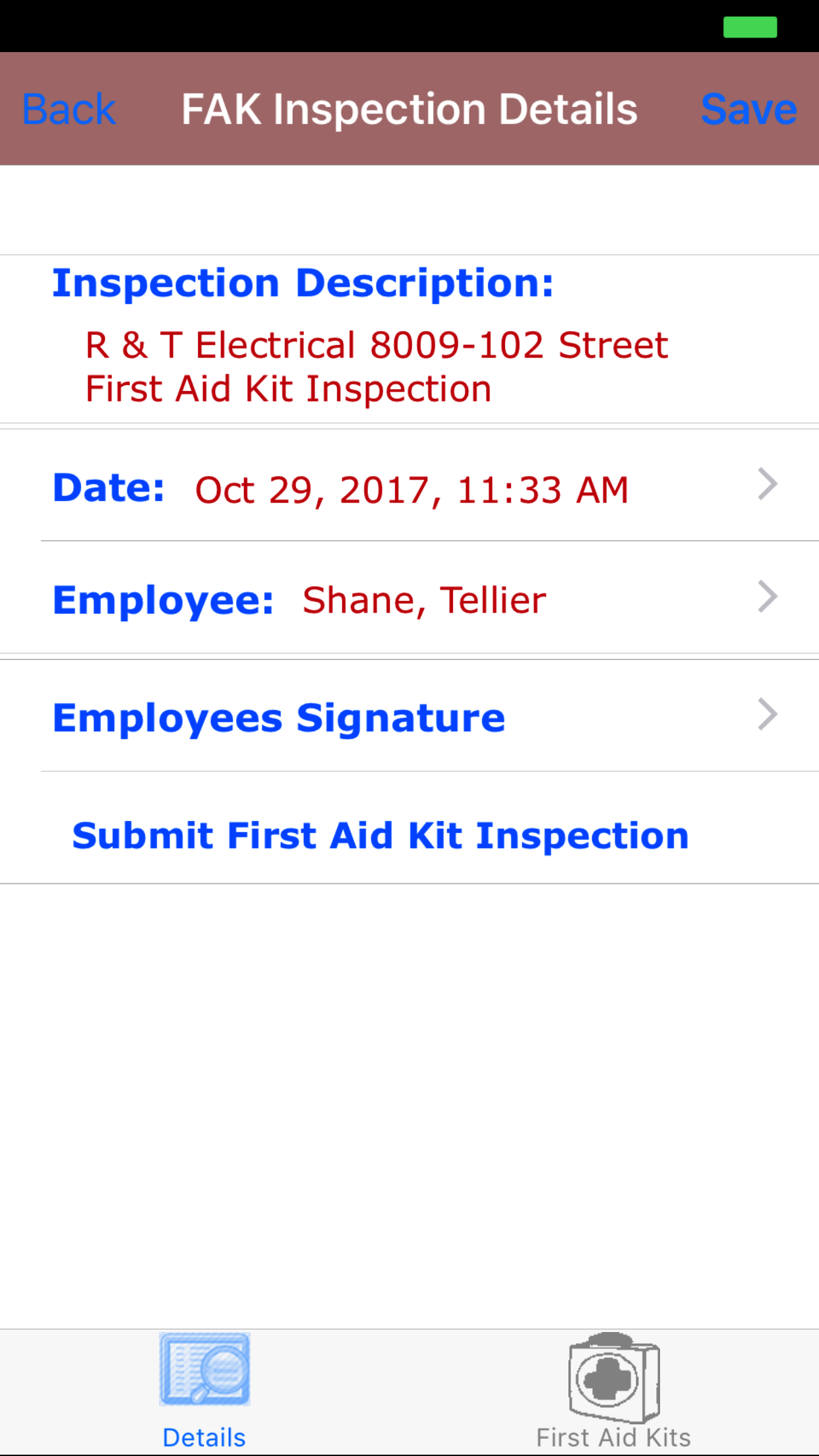
Once on the First Aid Kit Inspection you would like to Submit, all the
first aid kit locations have been added and inspected and the inspection has been signed off on.
Steps
- Tap the Submit First Aid Kit Inspection button.
|
|
| Step 1 |
|
|
|
17.Delete First Aid Kit Inspection |
|
Once in the First Aid Kit Inspection section
Steps
- Tap the second tab on the menu, the First Aid Kit Inspection view.
To Search First Aid First Aid Kit Inspections: Pull down on the list view, the search is defaulted to search by date enter the date in following
format YYYY-MM-DD. The other option for the First Aid First Aid Kit Inspection search inspected by employee last name. Enter your search
criteria and click the Search button.
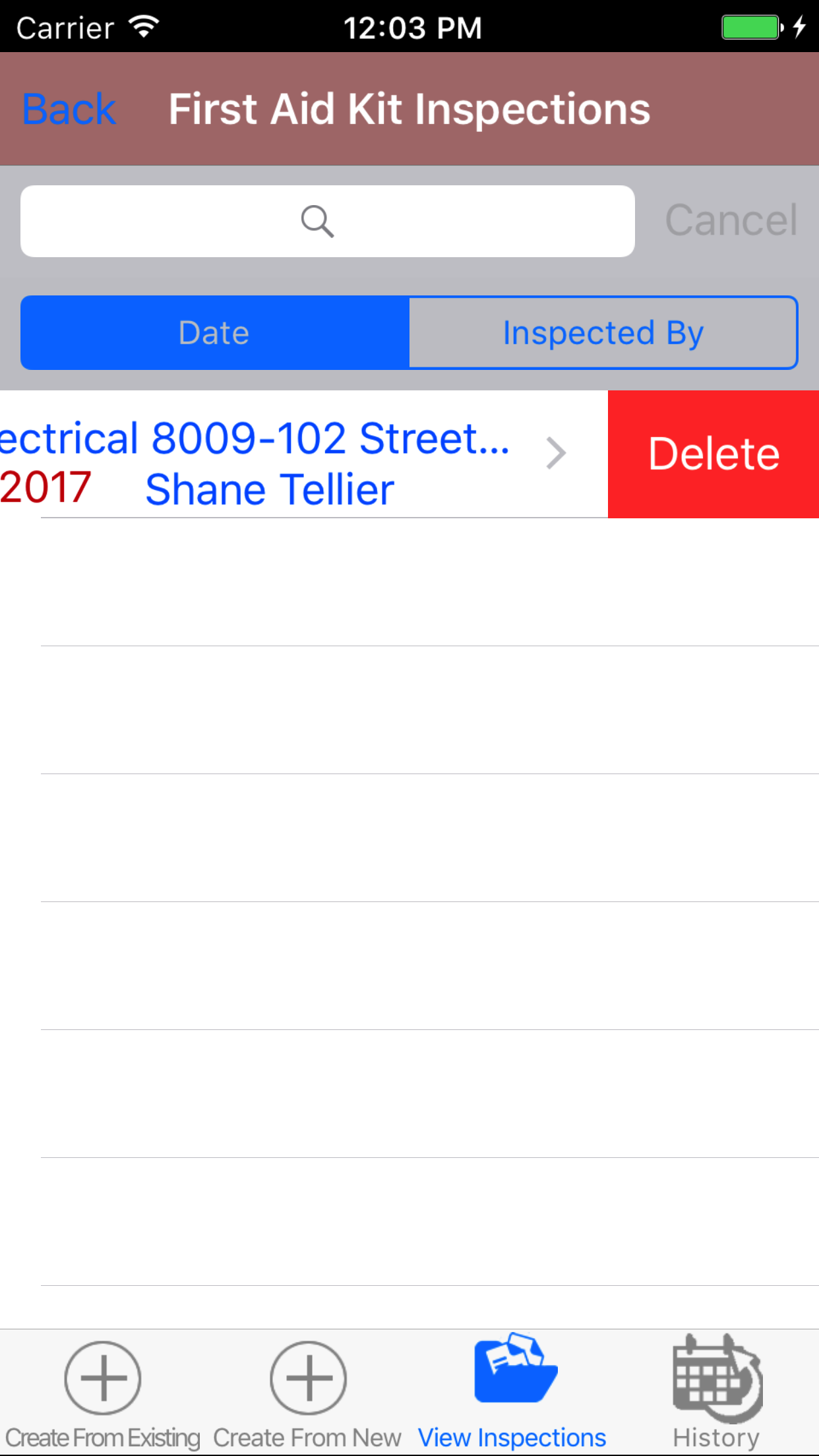
- Scroll the list of First Aid Kit Inspections until the desired First Aid Kit Inspection is displayed on the screen.
Listing the first aid kit inspection date in blue text, the job site in black text.
- Swipe from the right edge to the left to bring up the delete button for the first aid kit inspection.
- Tap the Delete button. The first aid kit inspection will be deleted.
|
|
| Steps 1-4 |
|
|
18.View Closed First Aid Kit Inspection |
|
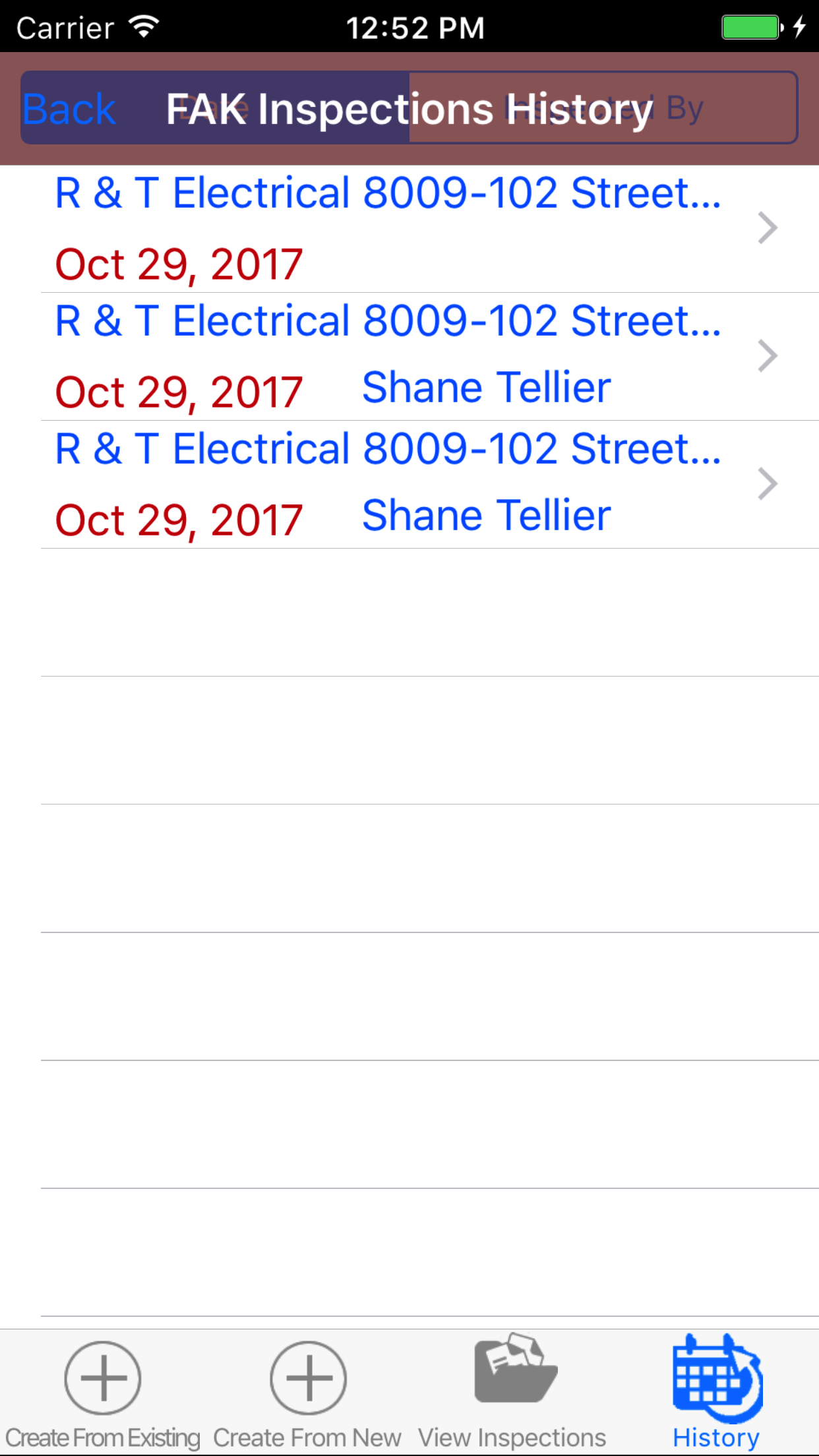
After First Aid Kit Inspections have been closed out, they will be available to look at through the History view on the iPhone Application.
Once on the First Aid Kit Inspection section
Steps
|
|
|
- Tap the third tab on the menu, the History tab of the main menu view. This loads with a list of the closed out
First Aid Kit Inspections listing the the first aid kit inspection date in blue text, job site name in black text.
To Search First Aid First Aid Kit Inspections: Pull down on the list view, the search is defaulted to search by date enter the date in following
format YYYY-MM-DD. The other option for the First Aid First Aid Kit Inspection search inspected by employee last name. Enter your search
criteria and click the Search button.
- Scroll the list of First Aid Kit Inspections until the desired First Aid Kit Inspection is displayed on the screen.
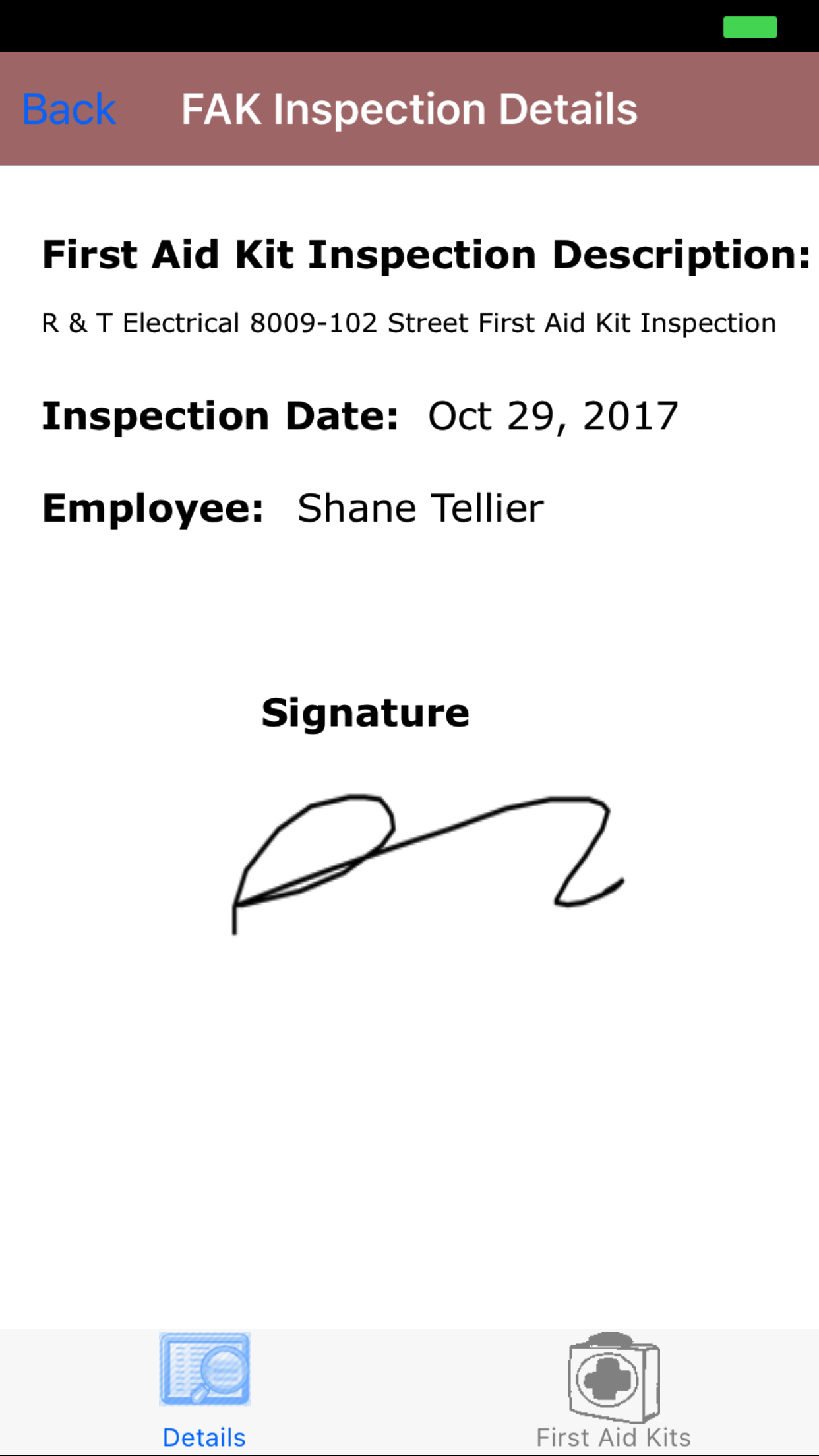
- Tap on the First Aid Kit Inspection you would like to view. This loads the first tab, the first aid kit inspection details, which loads with the first aid kit
inspection date, job site name, and the employee whom conducted the first aid kit inspection at the top.
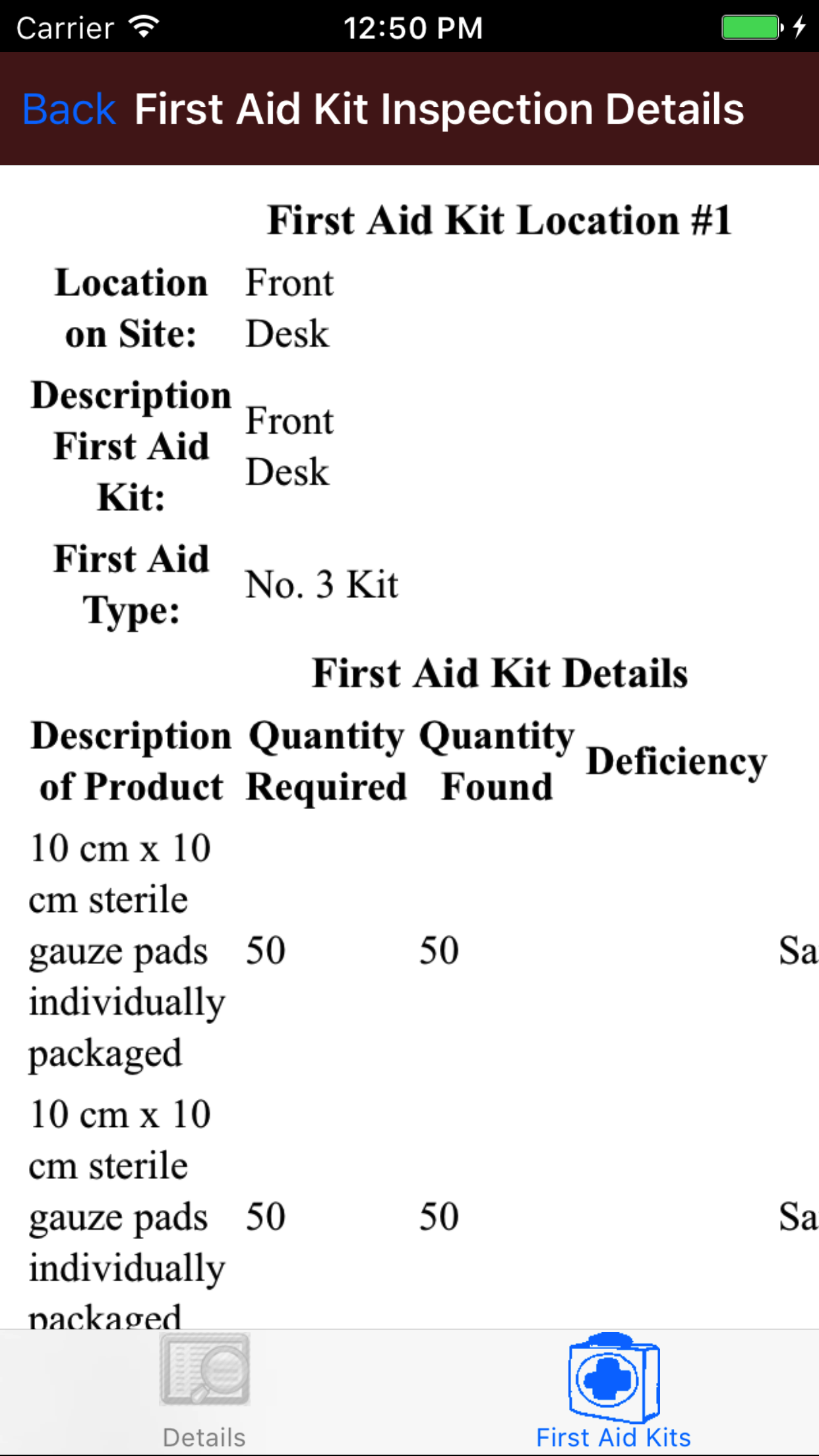
- Tap the second tab, the First Aid Kit Inspection Location lists the first aid kit locations on the first aid kit inspection.
|
|
|
|
19.Update First Aid Kit Inspections |
|
As other field staff and employee's perform first aid kit inspections the library of company first aid kit inspections for field staff to use will grow. Also as
field staff perform first aid kit inspections with other staff there will be a need for field staff to update their IPhone application.
Steps
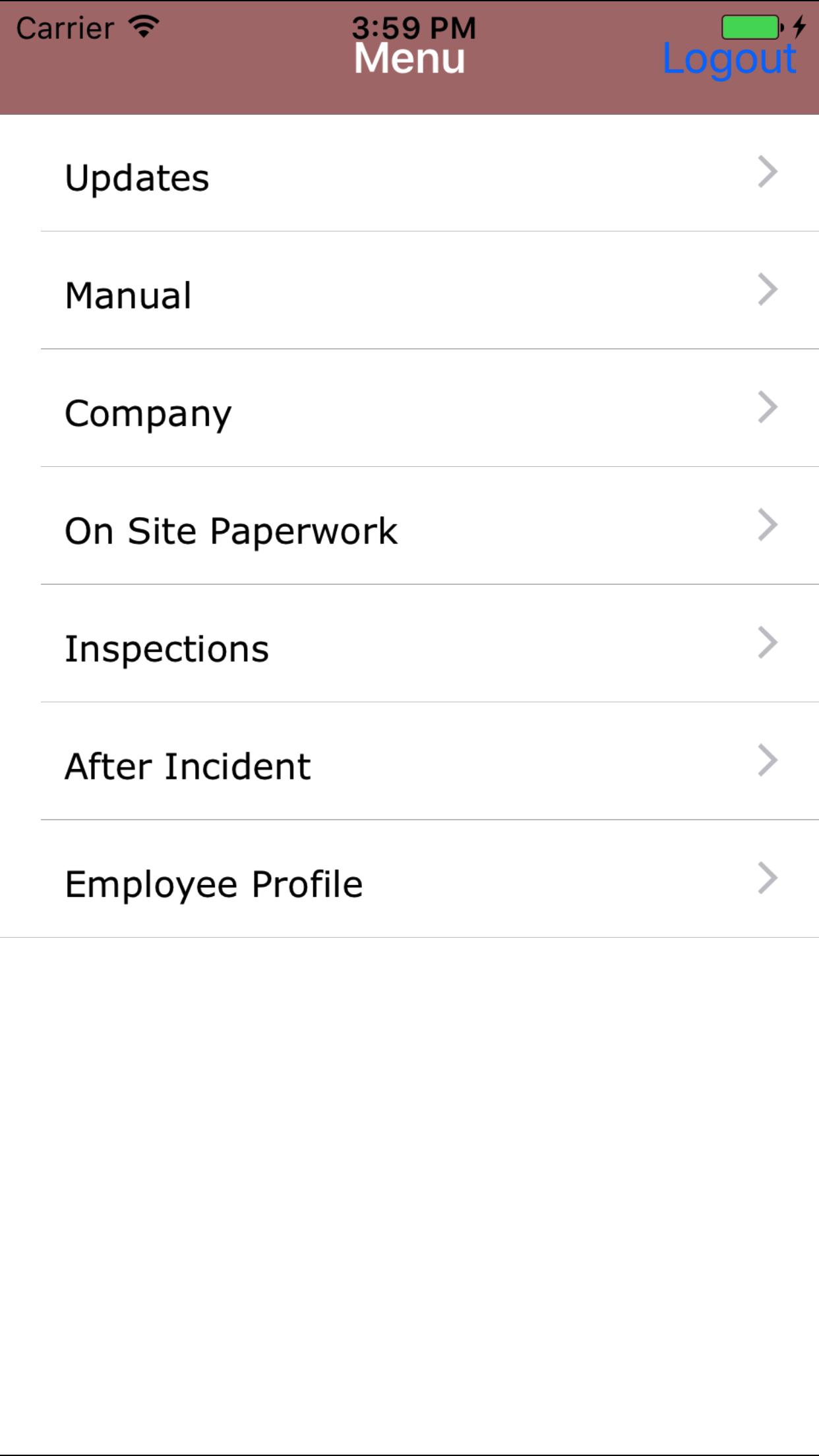
- From the Menu screen, tap the Updates button.
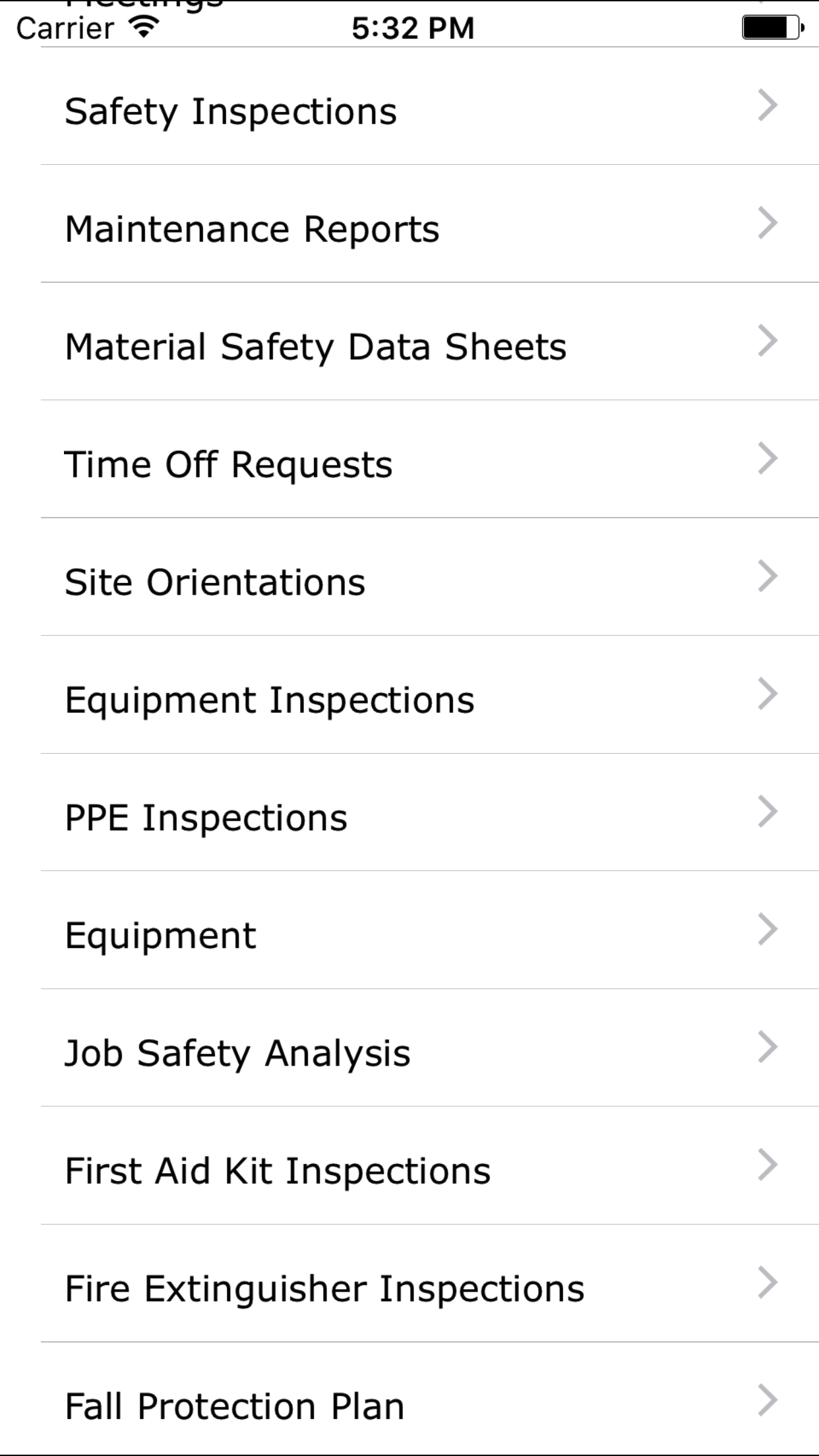
- Scroll the list of sections until you find the First Aid Kit Inspection button.
- Tap on the First Aid Kit Inspection button.
|
|
|
| Step 1 |
|
|
| Steps 2-3 |
|
|